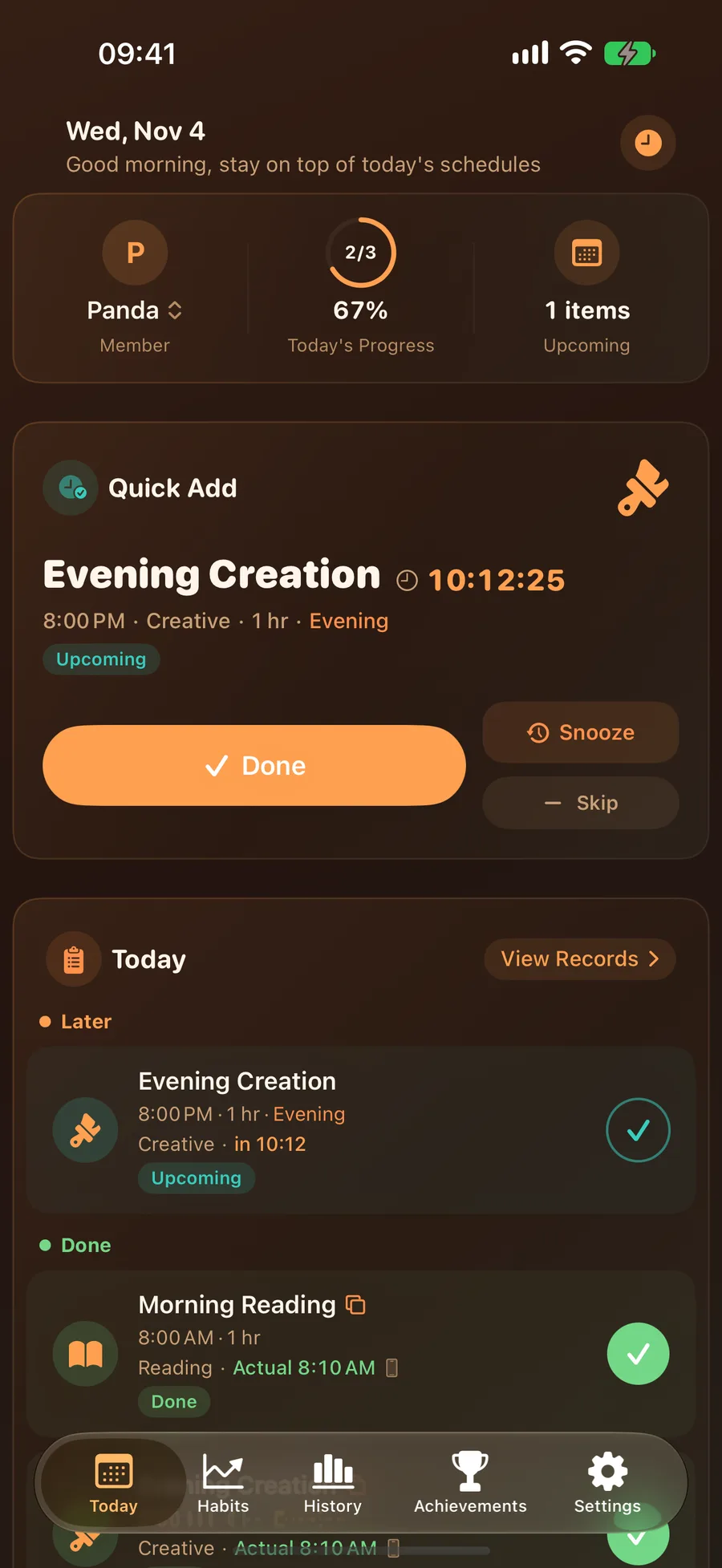
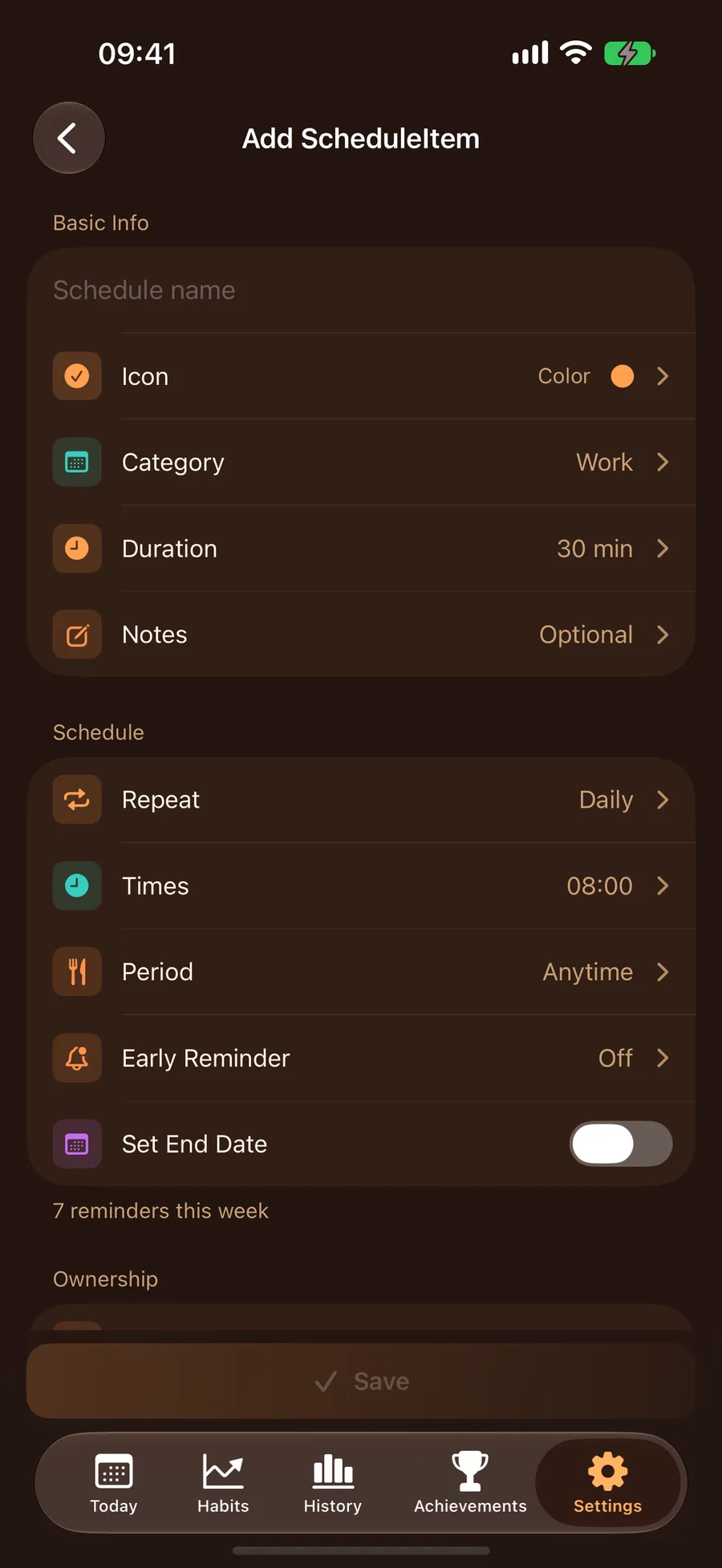
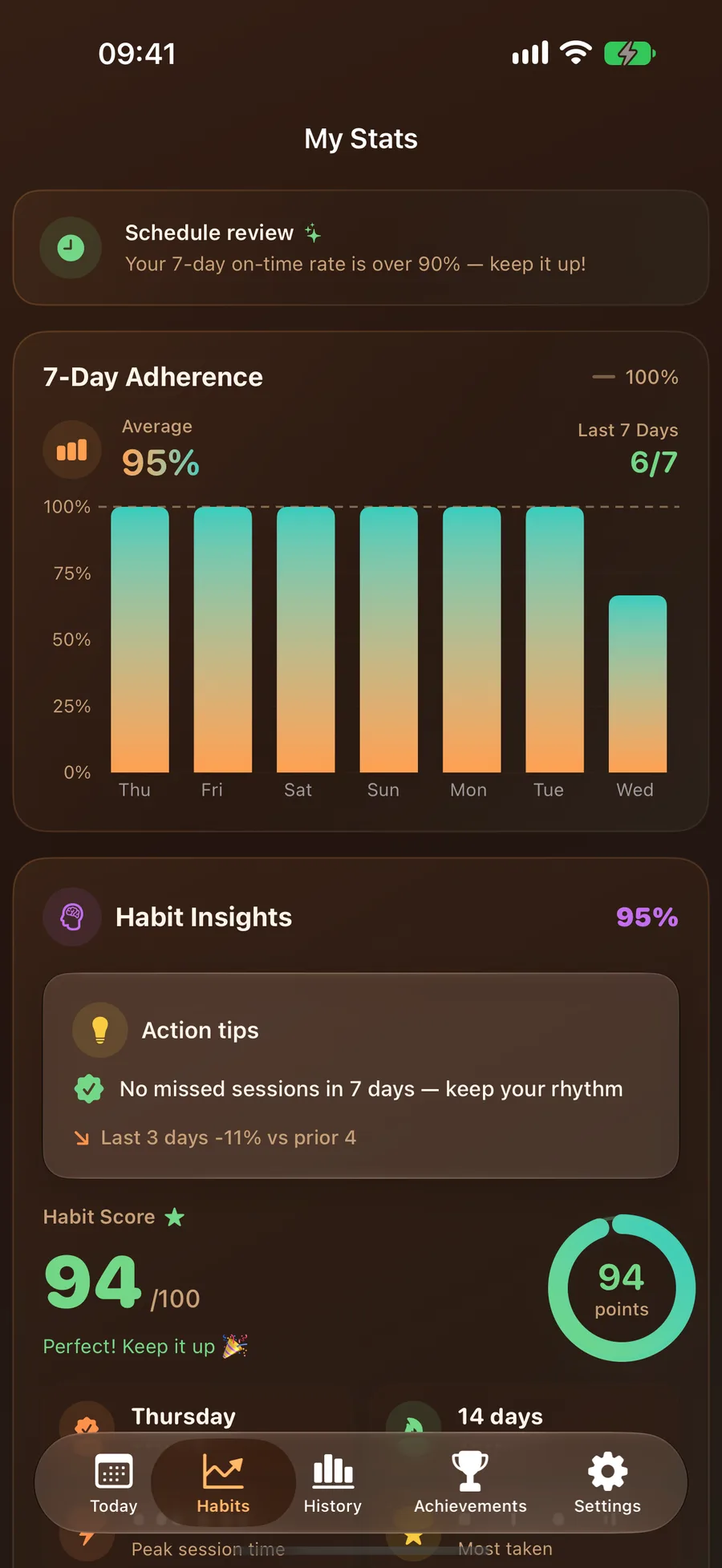
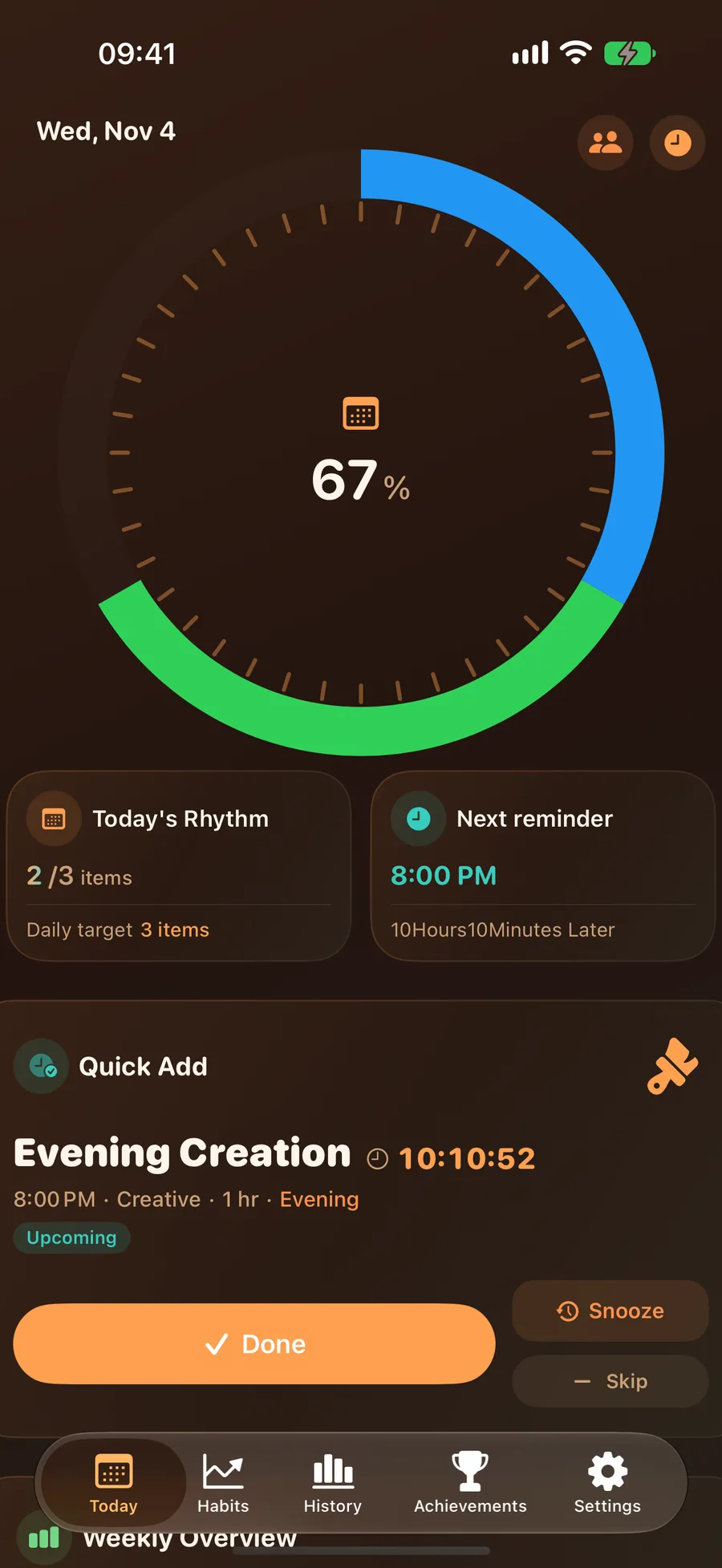
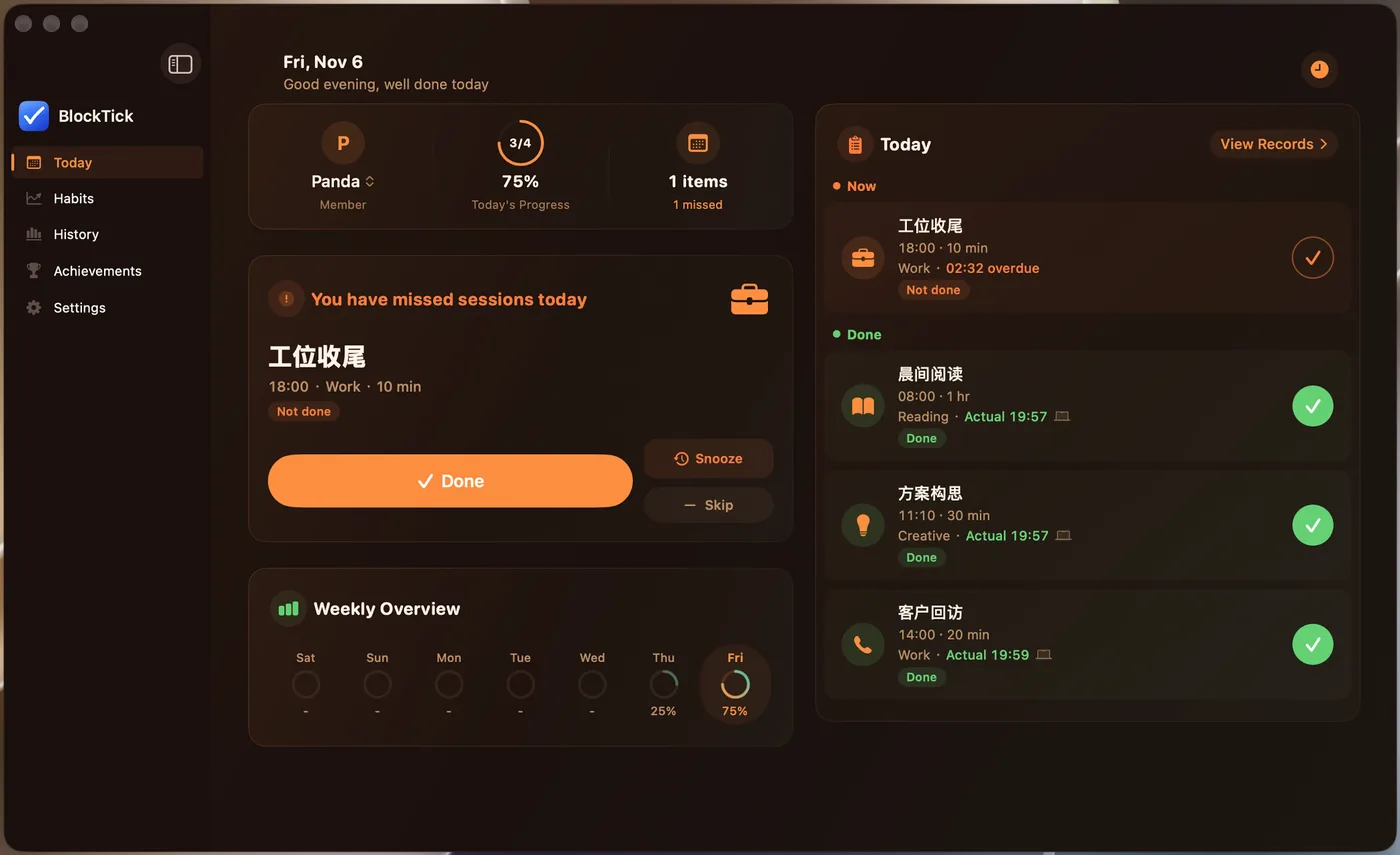
You make plans, but never start? BlockTick does one thing: get you started on time. Every task gets a time block with an on-time reminder, a live countdown while it runs, and an on-time rate that makes daily follow-through visible — plus 386 ready-made schedules, Apple Watch and home-screen widgets to keep you on track.

Time blocks for the day, on-time reminders to start, and an on-time rate that keeps you honest
Give every task a start time and a duration (30 min reading, 1 h workout), repeating daily / on chosen weekdays / every N days / yearly. Rather not plan from scratch? 386 ready-made schedules are grouped into 38 profession and lifestyle sets — multi-select a whole set and it's pre-filled and running today (general groups are free; the profession groups unlock with Pro). 12 categories plus morning / afternoon / evening tags combine freely.
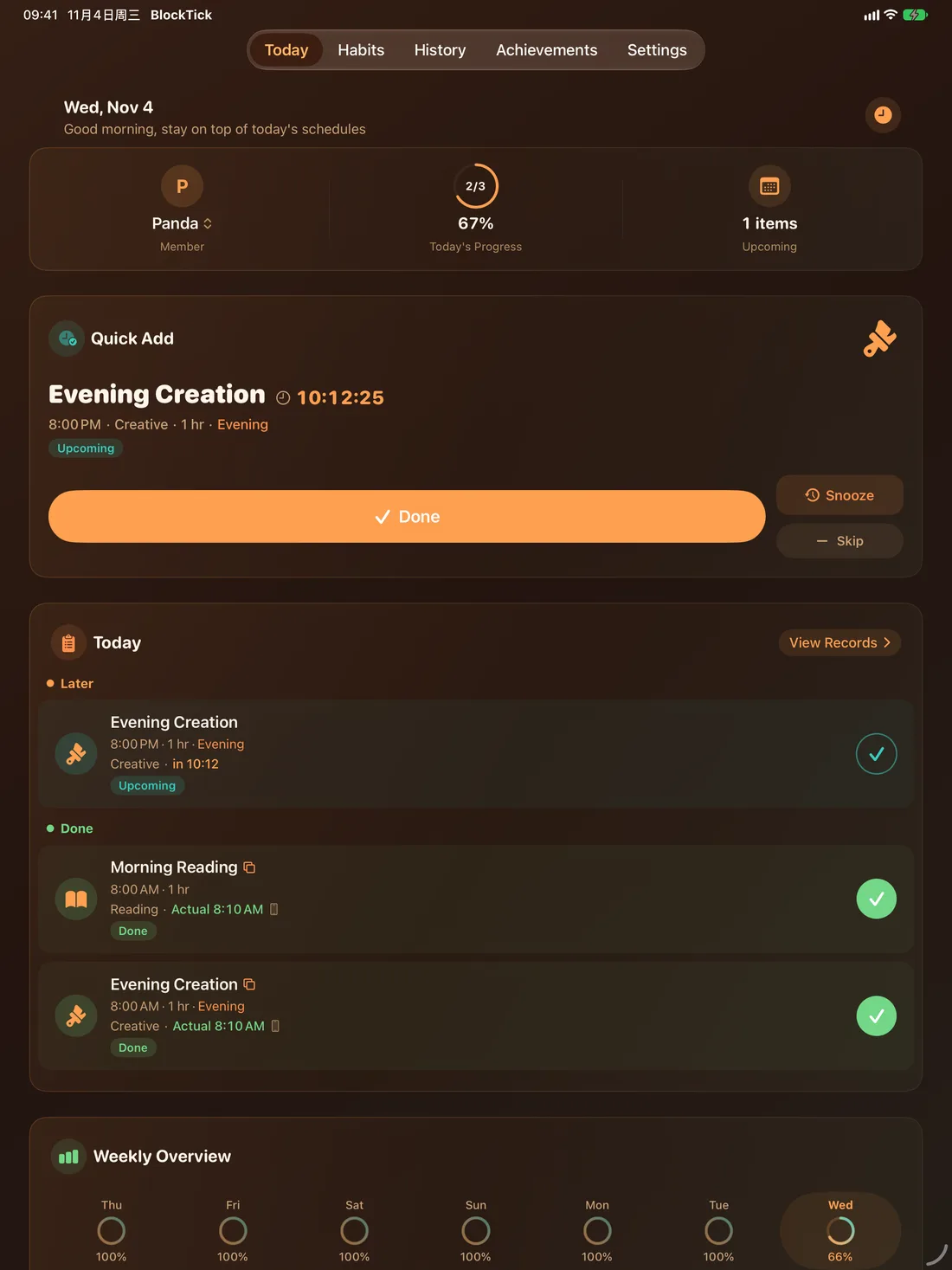
A reminder fires exactly when a block begins: first alert, follow-up if unconfirmed, snooze — until you mark it done or skipped. Time-sensitive notifications break through Focus so important blocks are never silenced, and you can tap "Done / Snooze / Skip" right on the notification without opening the app.
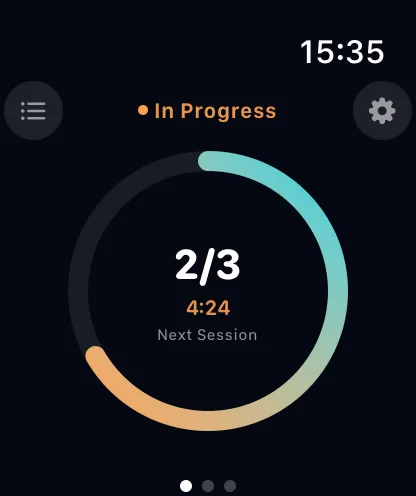
The running block is automatically marked in progress with a live mm:ss countdown on the focus card; between blocks, the countdown points to the next one. Watching time move pushes you harder than any to-do list.
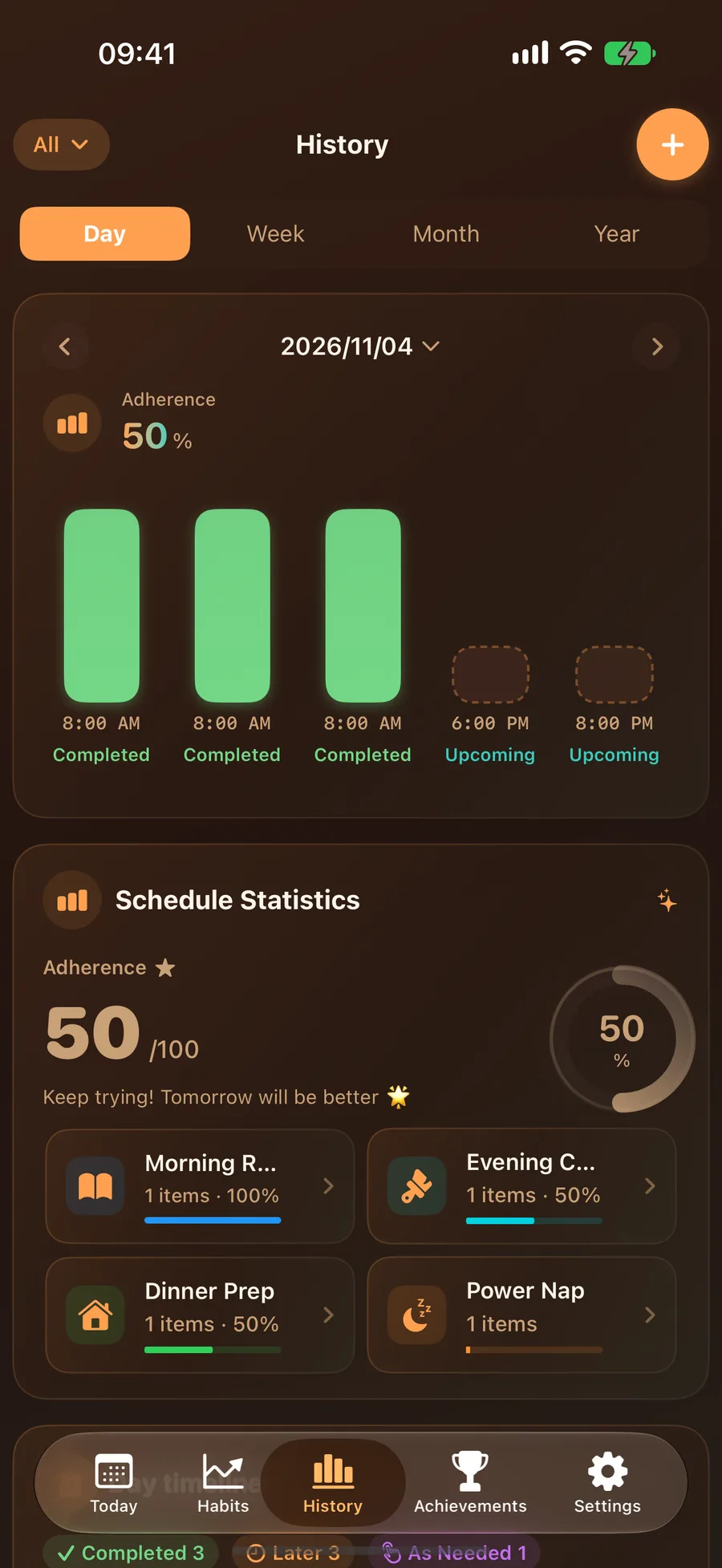
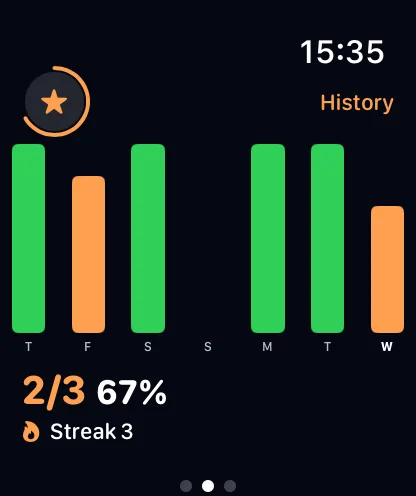
Daily, weekly, monthly and yearly on-time statistics, streaks and a habit score turn "execution" into visible curves and numbers. Insight cards reveal your best hours and the blocks you keep postponing — the longer you use it, the better you know your rhythm.
Every block's execution is kept: the day view compares planned vs. actual block by block, week / month / year views summarize your on-time performance, and missed blocks are easy to spot, backfill or edit.
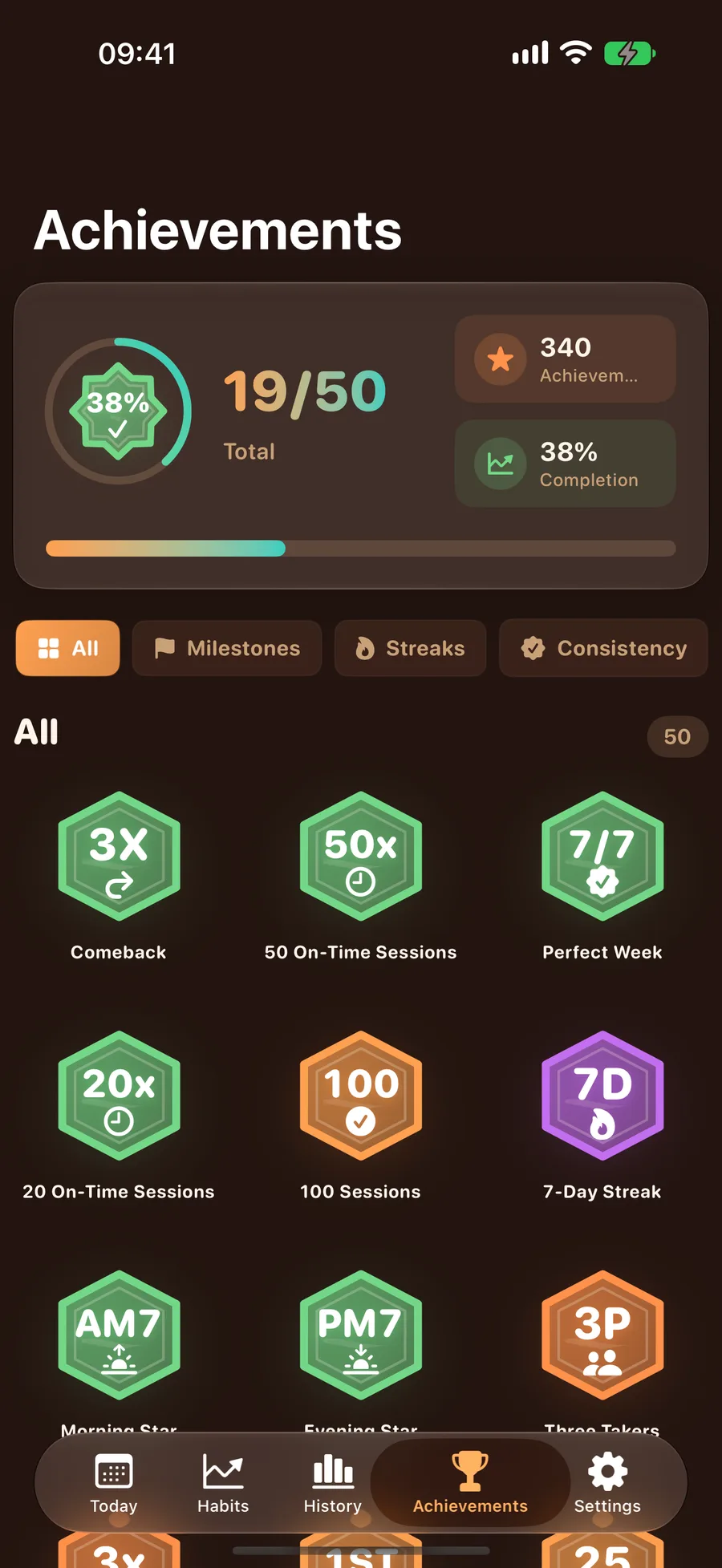
Streaks, perfect weeks and milestones turn persistence into badges and points you can collect. Unlocks come with celebration animations and stay in sync between iPhone and Apple Watch — sticking with it deserves to be celebrated.
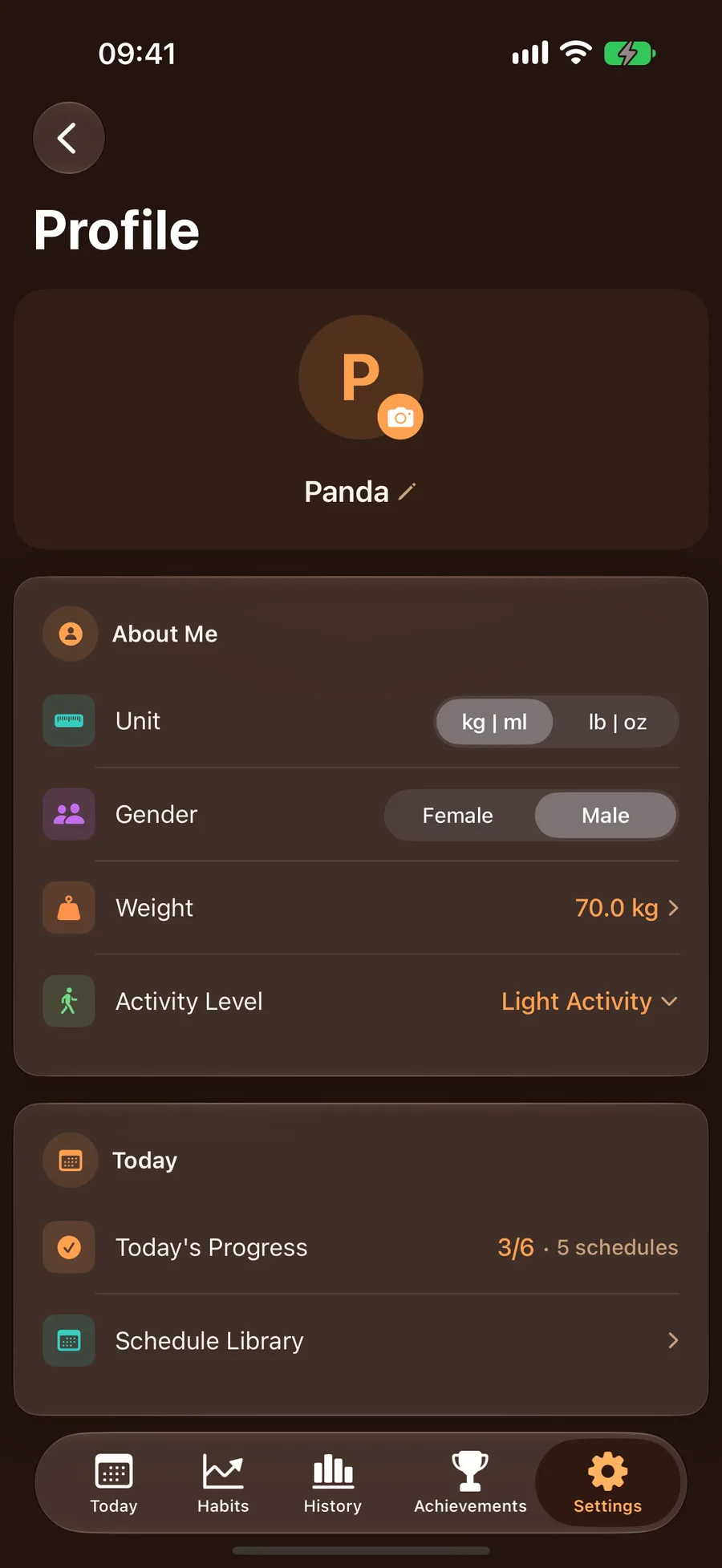
Create separate profiles for yourself, your kids and your parents, each with their own schedules, reminders and statistics. The free plan covers just your own profile; adding family members is a Pro feature (unlimited with Pro). Morning reading, afternoon nap, bedtime wind-down — the whole family's rhythm on one phone.
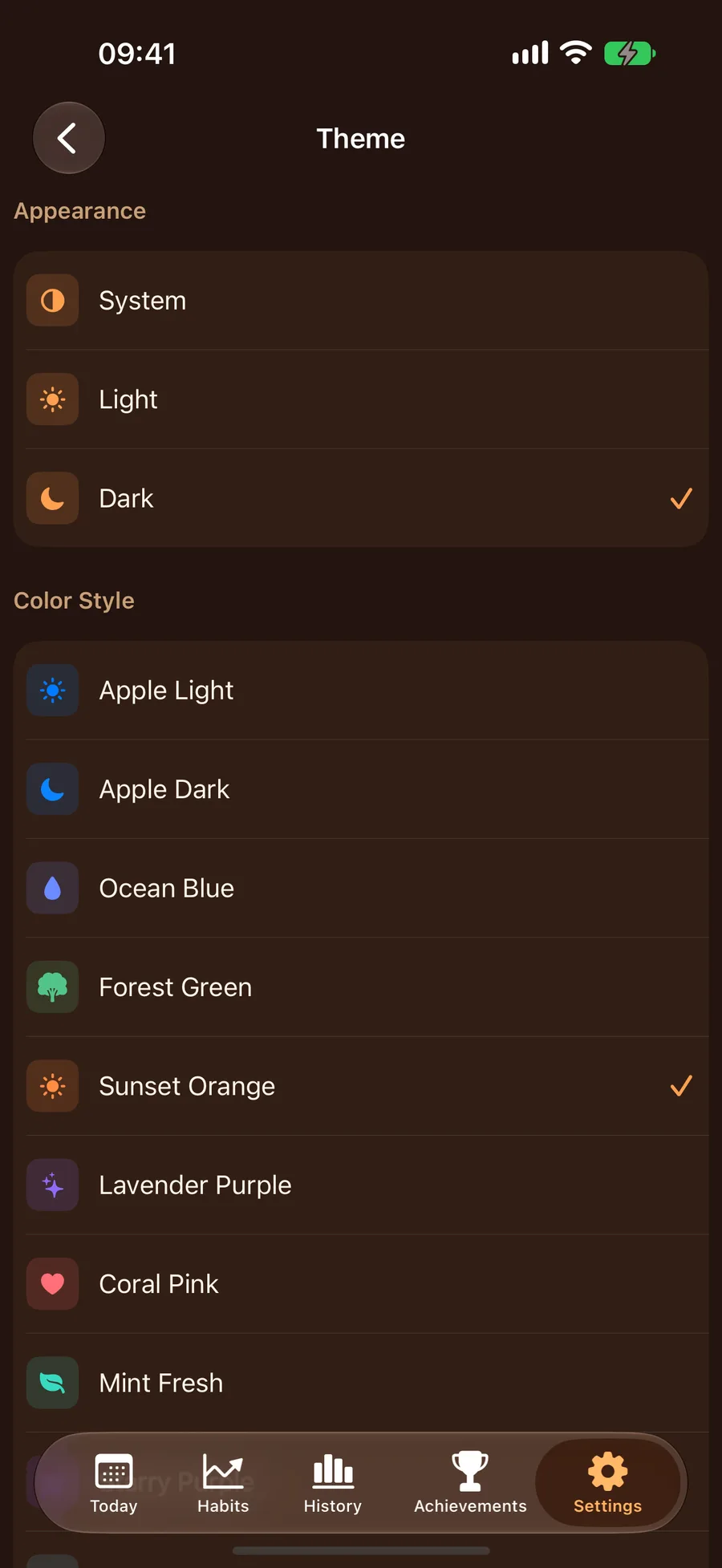
Truly native on iPhone, iPad, Apple Watch, Mac and desktop widgets, synced via iCloud. Multiple themes with light / dark / system-follow modes and 15 alternate icons let you make it yours.
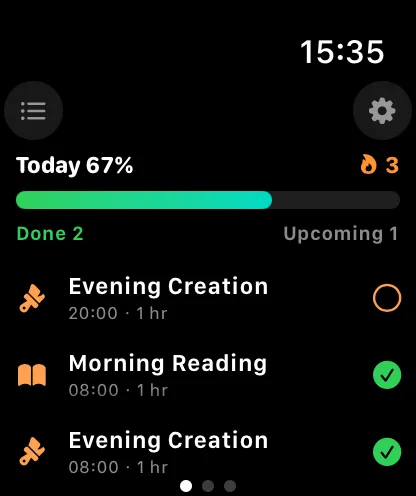
No need to pull out your phone — raise your wrist to see today's blocks and progress, and complete them right on the watch. The Apple Watch app runs independently of iPhone, syncs in real time, and keeps records and achievements perfectly in sync.
BlockTick runs natively on iPhone, iPad, Mac and Apple Watch, with data syncing automatically via iCloud
BlockTick supports you all the way to consistent execution
Multiple carefully designed theme colors with dark / light / system-follow modes, plus 15 alternate icons — a fresh look whenever you want one.
Home screen and lock screen widgets show today's progress and the next-block countdown — complete a block in one tap without opening the app.
Automatically sync data across all your devices via iCloud. Complete a block on your iPhone and instantly see it on your iPad and Mac — no manual action needed.
Mark a block "Done", "Snoozed" or "Skipped" straight from the reminder notification — no need to open the app. Unconfirmed blocks keep reminding at your chosen interval.
While a block runs, your progress and the next block's start time show live on the Lock Screen and Dynamic Island; important reminders go out as time-sensitive notifications that break through Focus.
Supports 24 languages — no matter what language you use, BlockTick presents the interface in your familiar language. Users worldwide can easily pick up time-blocking.
See today's blocks and progress on your wrist and complete them with a tap. Runs independently without iPhone, with watch face complications showing progress at a glance.
Log a schedule with a single sentence: "Hey Siri, log a schedule with BlockTick". Shortcuts support custom phrases and automations in all 24 languages.
Export records as CSV or JSON, or create a full versioned backup you can restore anytime. Your data stays entirely yours — no third-party analytics or ad SDKs.
BlockTick offers flexible purchase options to unlock all premium features
One-time purchase, permanently unlock all premium features, no renewal required. Supports Family Sharing.
Auto-renewable yearly subscription with full premium features. Includes 3-day free trial. Supports Family Sharing.
Auto-renewable monthly subscription, flexible choice. Includes 3-day free trial. Supports Family Sharing.
The free plan covers 3 schedules with your own profile only — the full reminder chain, Apple Watch, widgets and iCloud sync all stay free, with day and week stats included. Pro unlocks unlimited schedules and family members, 287 profession templates across 30 industries, month & year stats, the focus sound, data export and full backup, and more (see prices in the app). Payment is charged to your Apple ID; subscriptions renew automatically unless cancelled at least 24 hours before the end of the current period. Manage or cancel anytime in Settings > Apple ID > Subscriptions.
Have questions or suggestions? We'd love to hear from you
710641131
Settings → Help & Feedback → Contact us via email