PillTick - Medication Reminder — Never Miss a Dose

PillTick manages every medication with its own schedule: on-time notifications, automatic repeat reminders until confirmed, adherence statistics and achievement milestones — plus Apple Watch and home-screen widgets for tracking your progress.

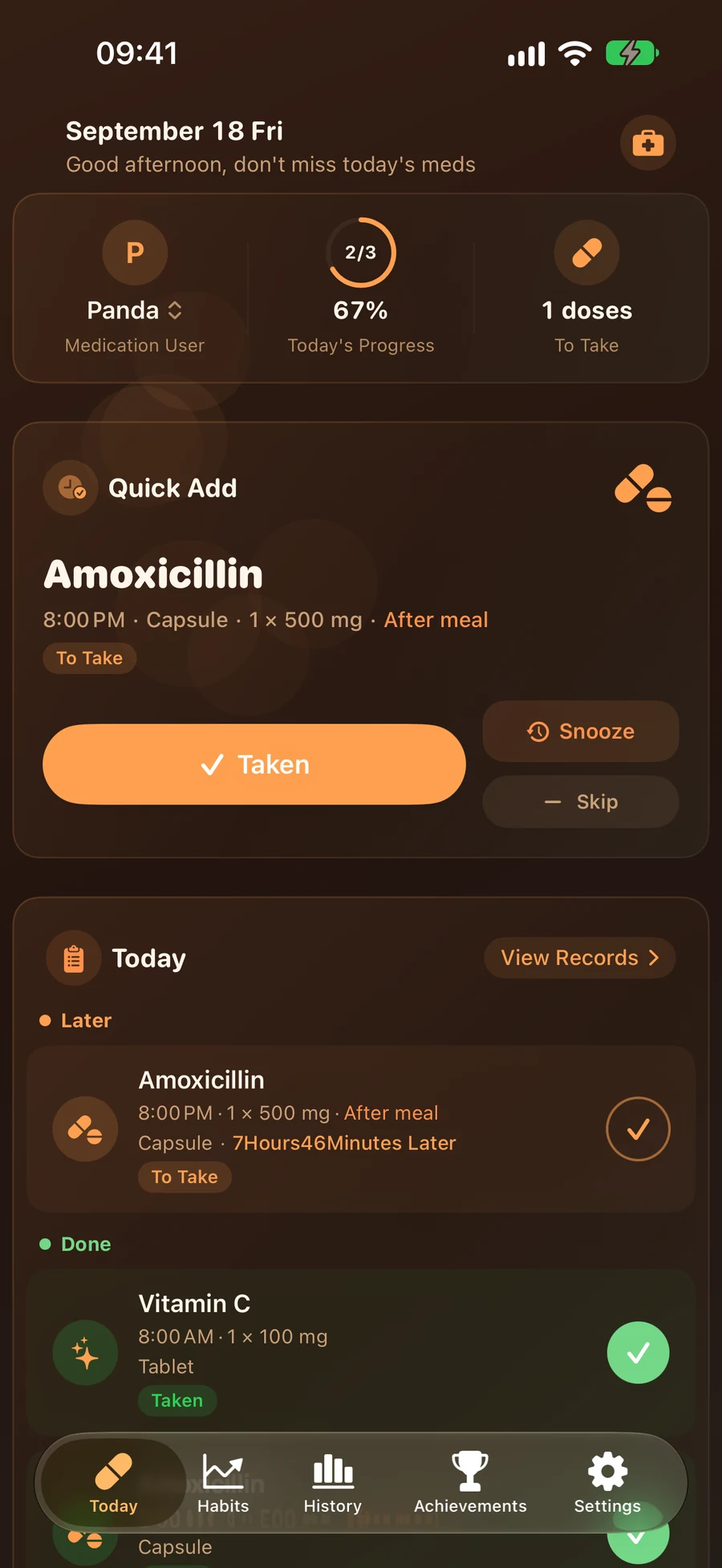
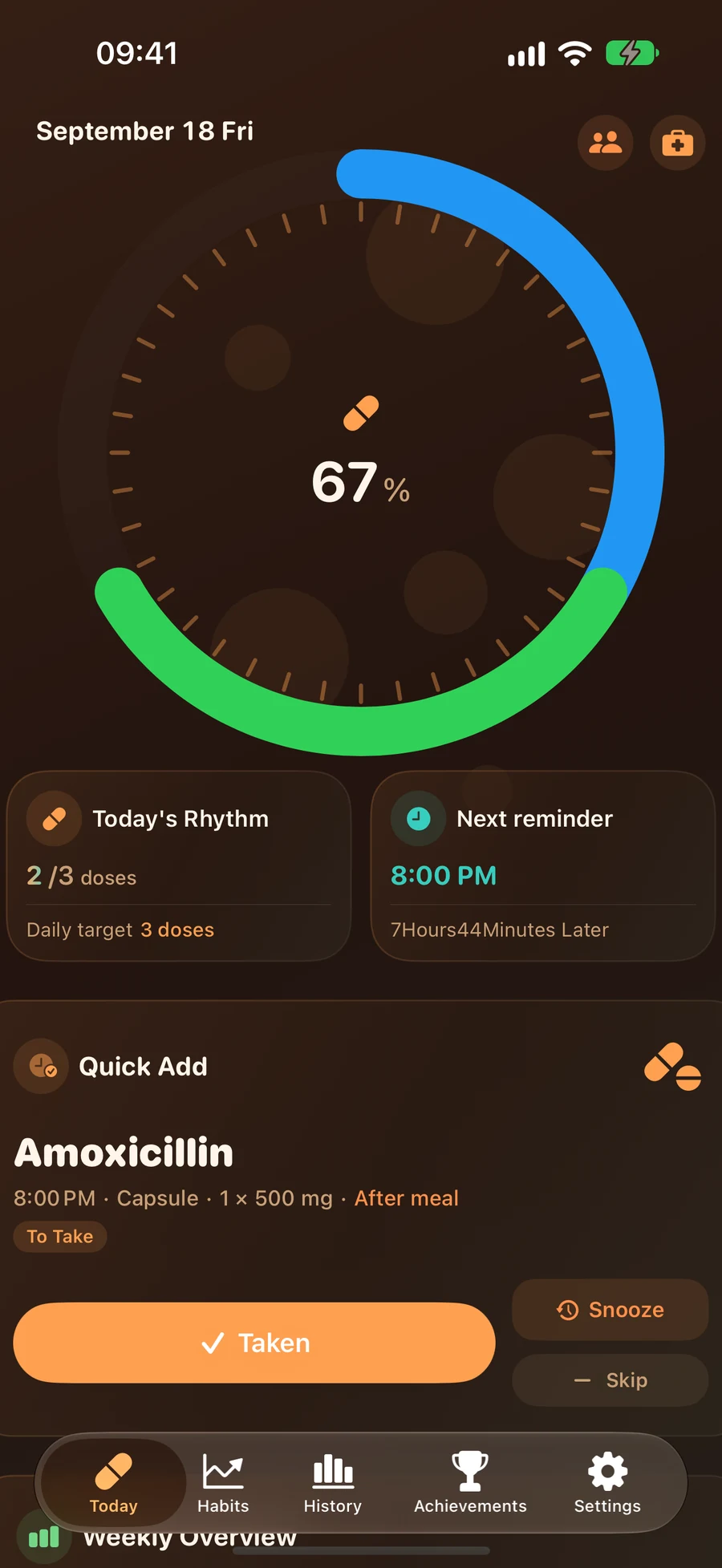
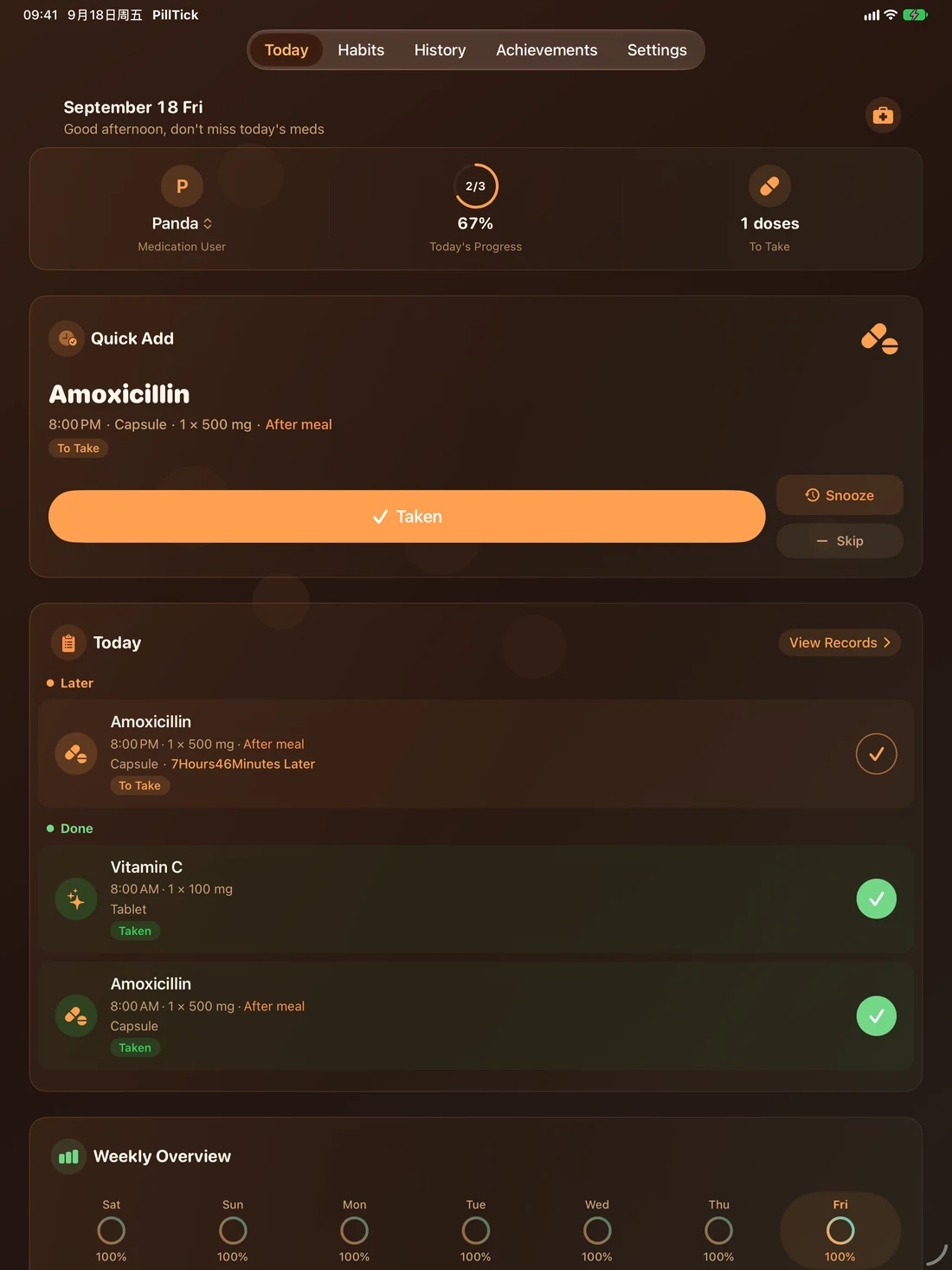
PillTick Today Screen
15 Dosage Forms
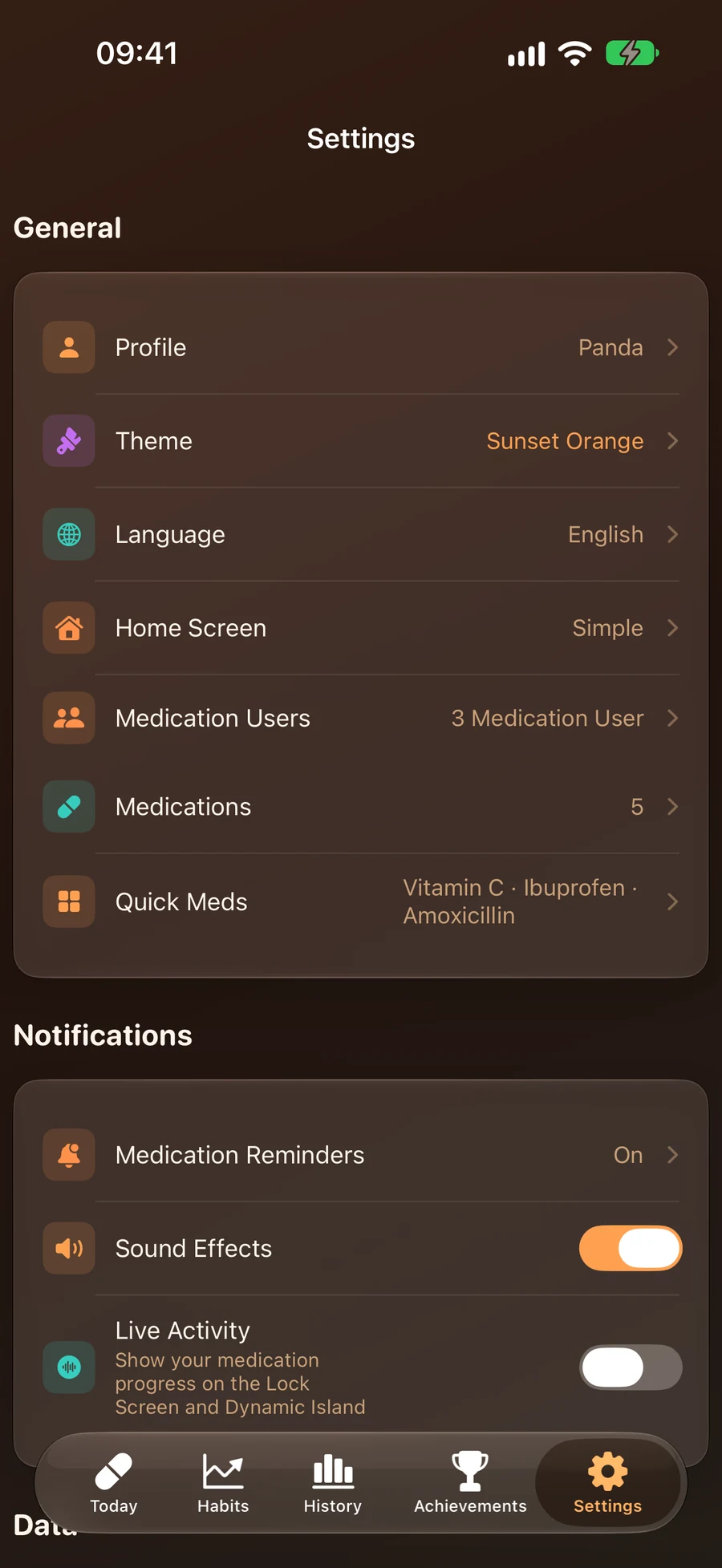
14 Theme Colors
24 Languages
4 Device Sync

Your Complete Medication Tracker

Track adherence, streaks and insights — helping you and your family stay on schedule

Today's Doses
Medication Schedules
Adherence Stats
Medication Schedules

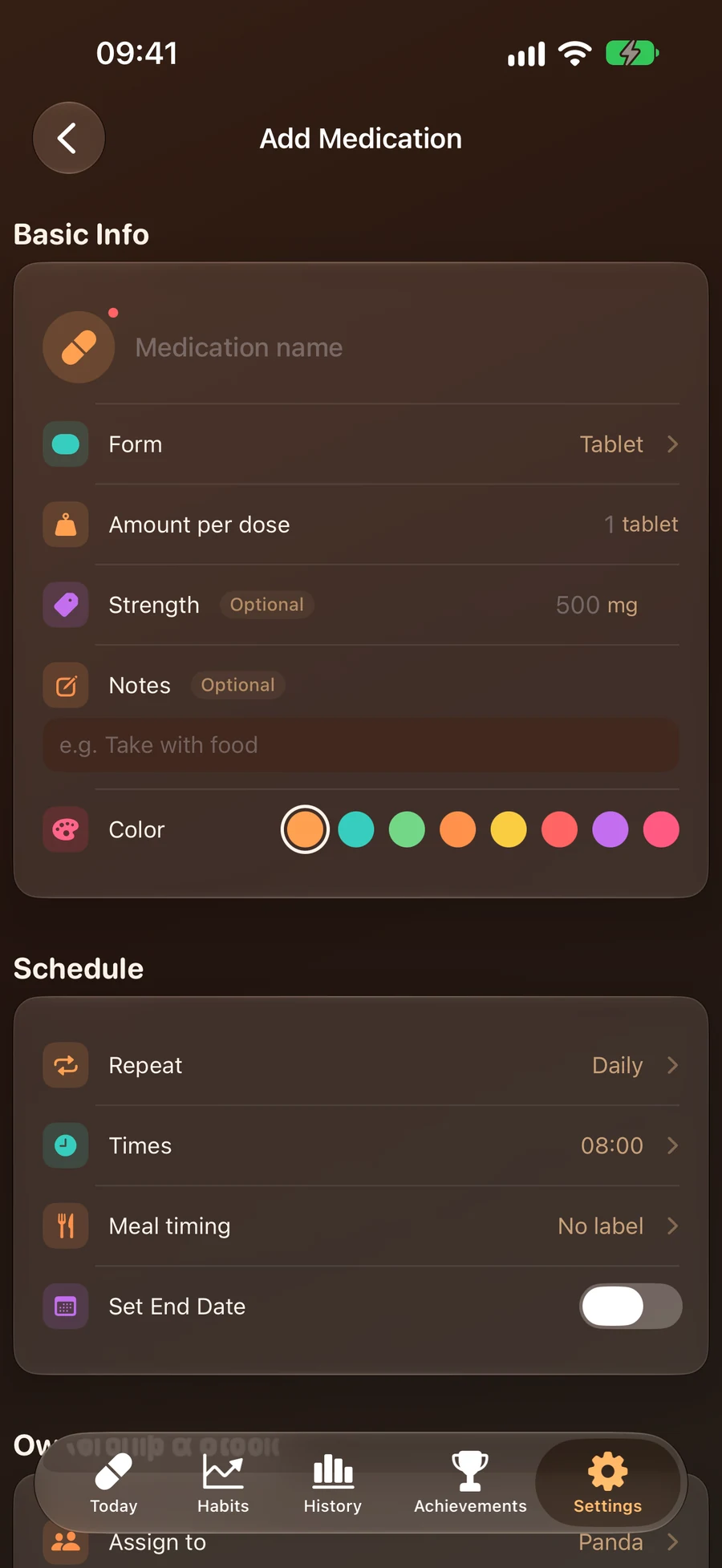
Flexible Medication Schedules

Daily, every N days, specific weekdays, or as-needed — four repeat cycles you can combine freely. Each medication supports 15 dosage forms and per-dose amounts, reminds independently, and can be paused or edited anytime.

Repeat Reminders Until Confirmed

Haven't confirmed a scheduled dose? PillTick keeps reminding at your chosen interval (5/10/15/30/60 minutes, default 15) until you mark it taken or skipped — and "Snooze" pushes it back 15 minutes with one tap.

Repeat Reminders
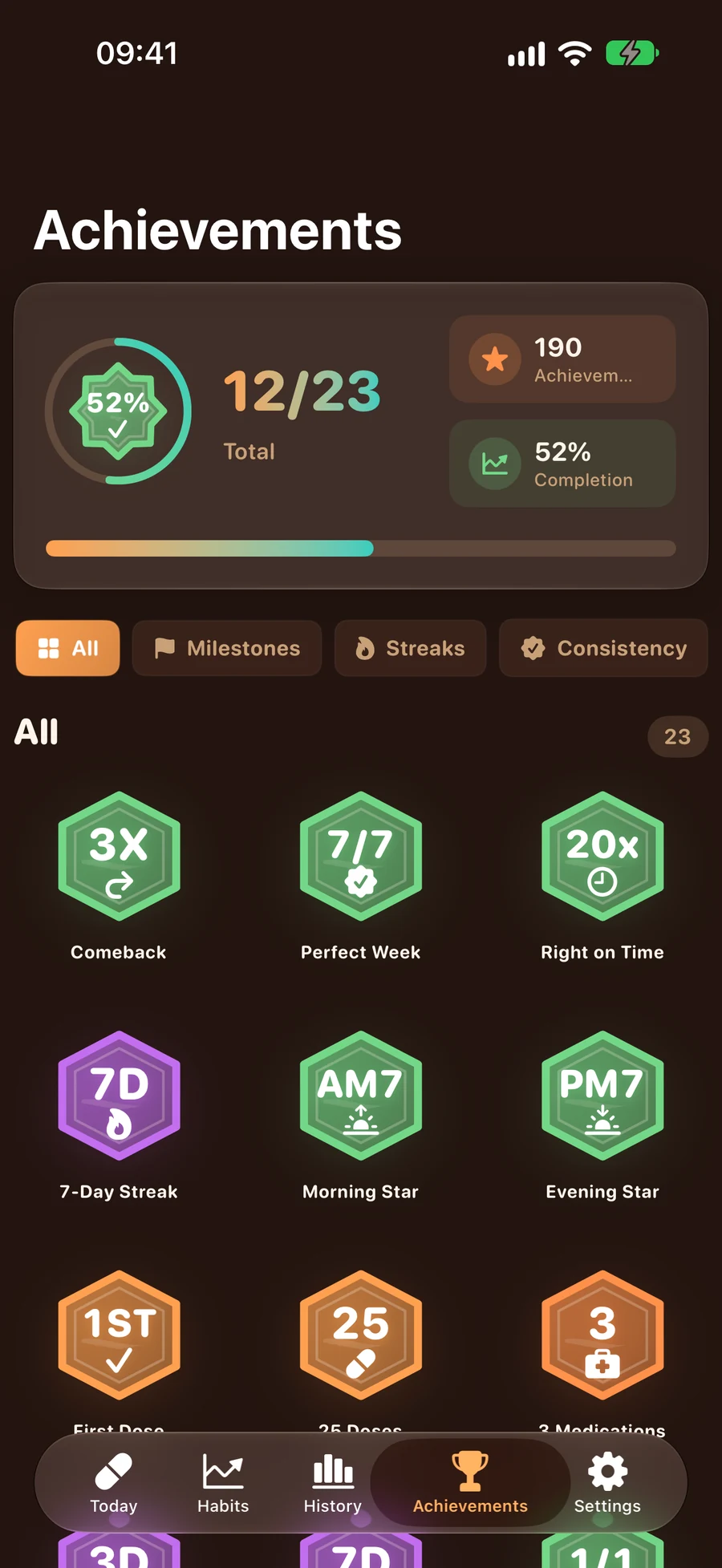
Achievement System

Adherence & Achievements

Today's progress, weekly adherence, streaks and 23 achievement badges — positive feedback for staying on schedule, with a celebration animation every time you unlock one.

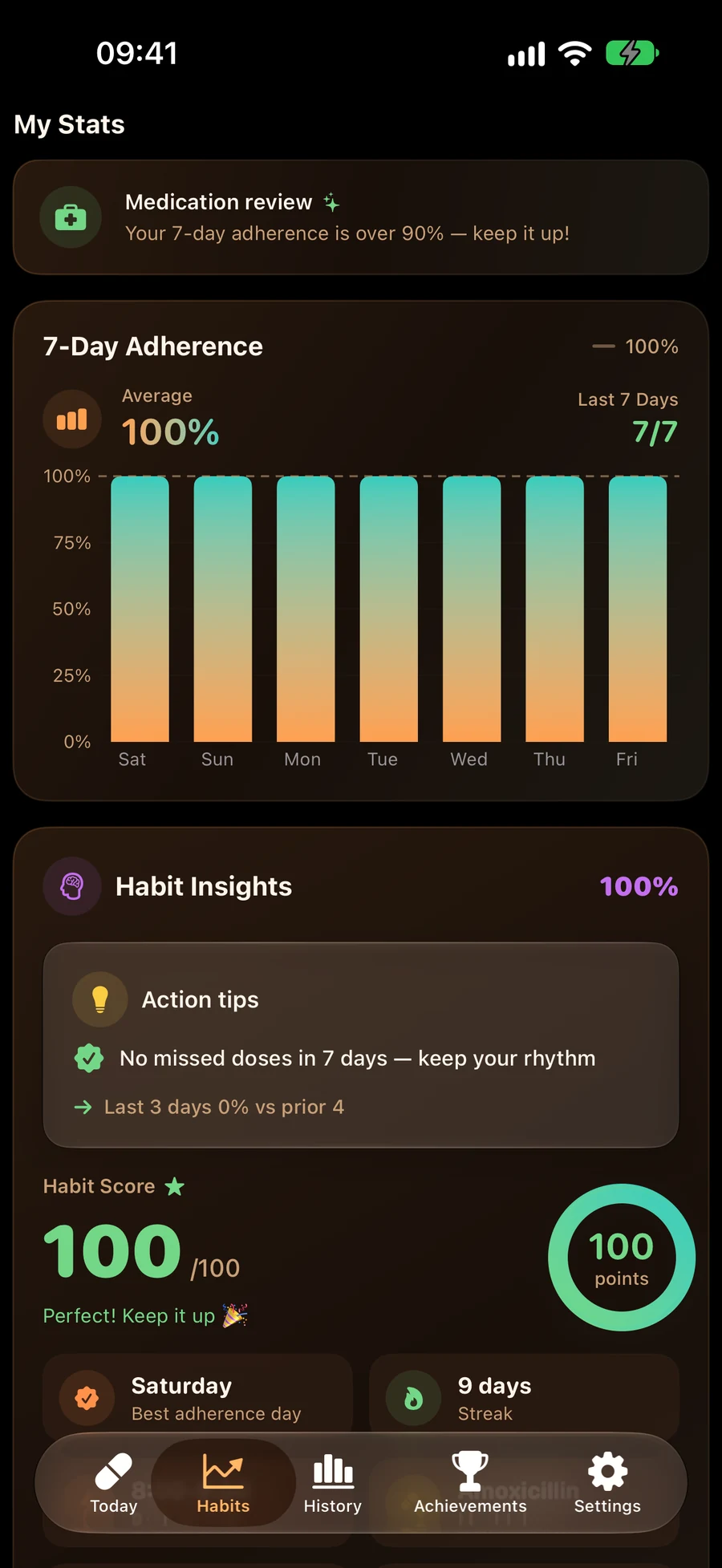
Adherence & Habit Insights

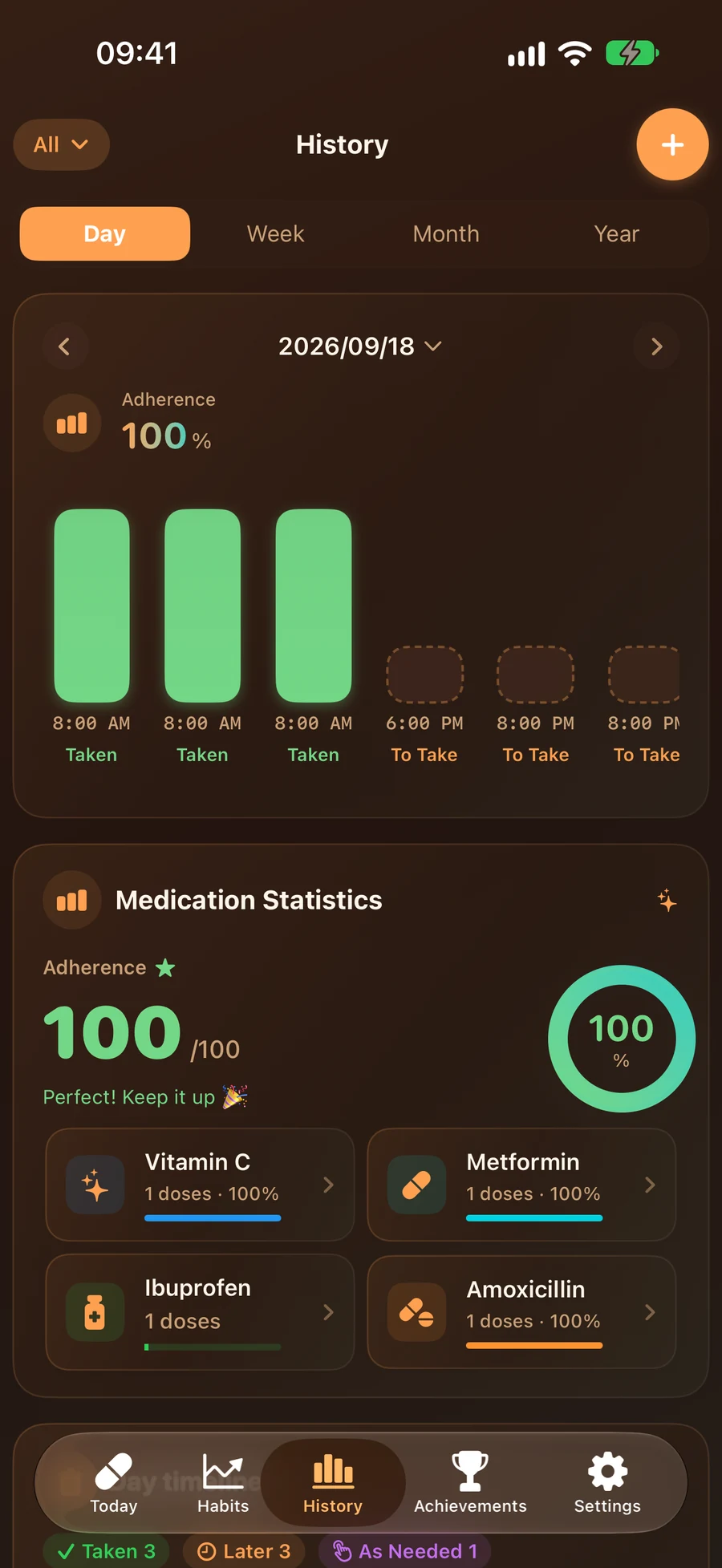
Weekly/monthly/yearly adherence rates, a habit score out of 100, streaks, and insight cards such as your best medication time, most-taken medication and average doses per day — so you can spot your own patterns at a glance.

Adherence & Habit Insights
Multi-Profile Management

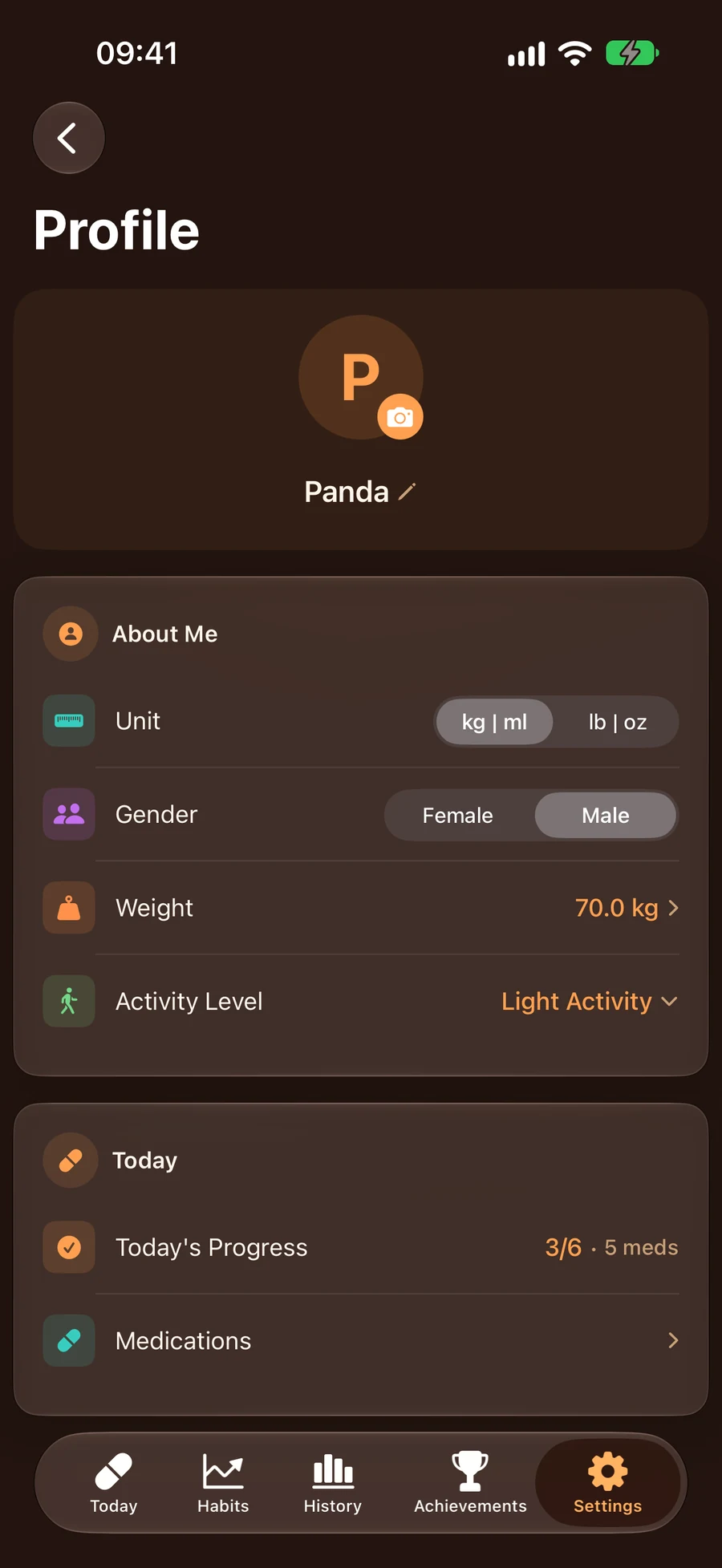
Multi-Profile & Family Med Box

Create separate profiles for yourself, your kids and your parents. Assign each medication to a person and filter history and stats by profile. "Our Med Box" keeps the whole family's medicines in one place, tracks what's left and notifies you when stock runs low.

Cross-Platform Medication Tracker

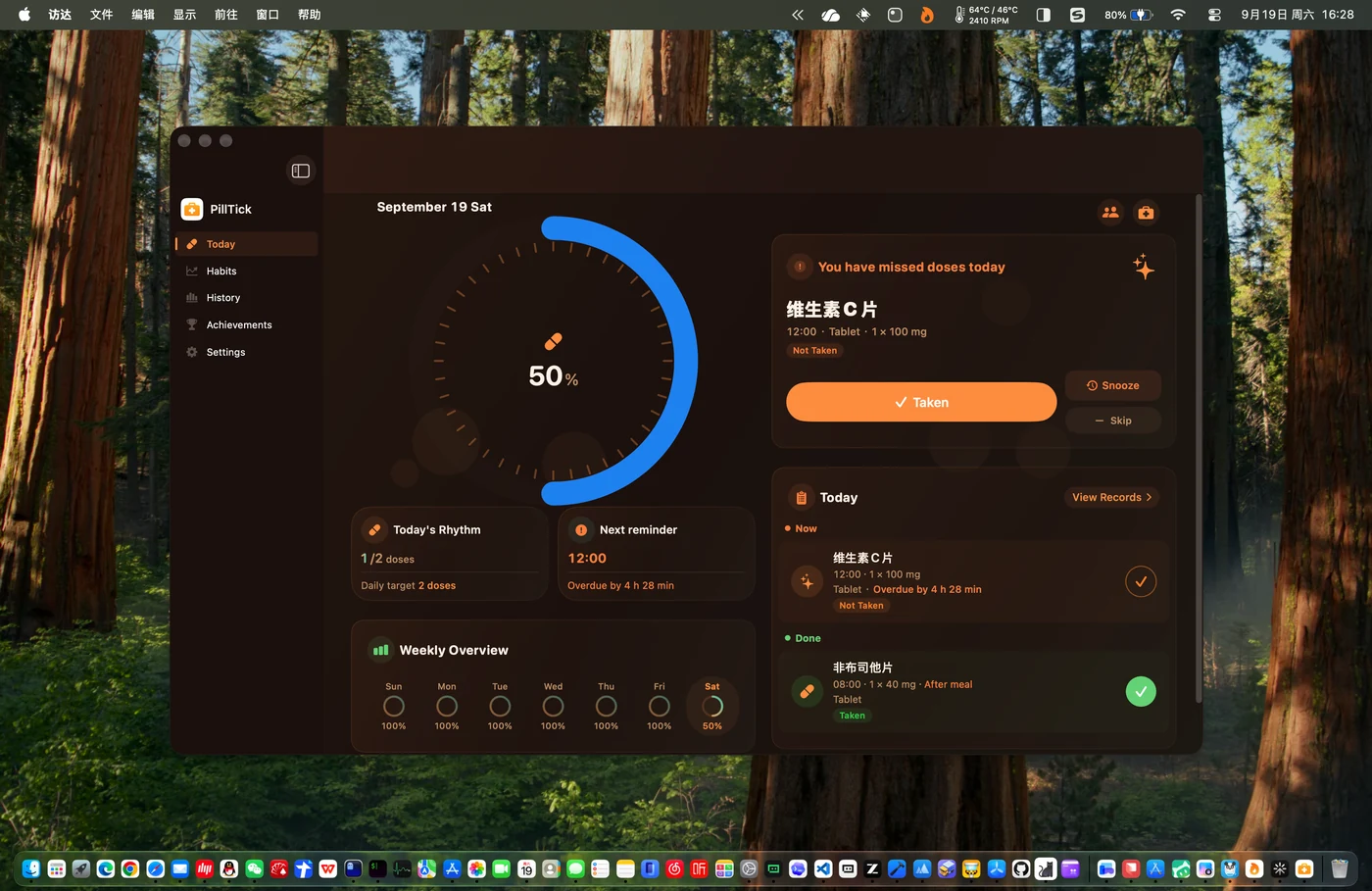
PillTick fully supports iPhone, iPad, Apple Watch, and Mac. The Mac menu bar shows your medication progress at a glance. Apple Watch has an independent app plus watch face complications — raise your wrist to track your progress. Multi-device data syncs in real time via iCloud, so you can keep tracking on any device.

Cross-Platform Medication
Smart Reminders

Smart Reminders & Live Activity

Reminders fire exactly at each scheduled time, with "Taken / Skipped / Snooze" right on the notification — no need to open the app. A test notification and an upcoming reminders list make it easy to confirm everything is on time. Live Activity with Dynamic Island keeps your progress visible on the lock screen, and Siri shortcuts let you log a dose with your voice.

Medication History & Data Export

Daily, weekly, monthly and yearly history views — the daily timeline compares planned vs. actual times and highlights missed doses. A habit score and monthly heatmap help you spot patterns, and records can be exported as CSV or JSON.

Medication History

Track Medication Progress on Apple Watch

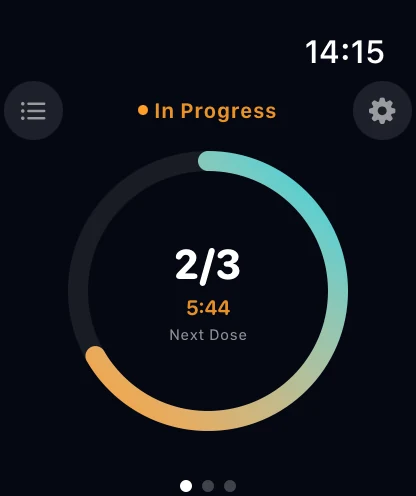
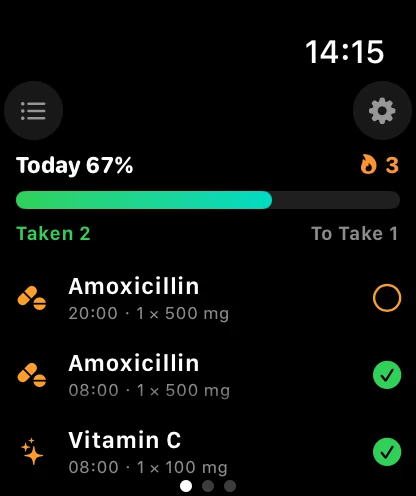
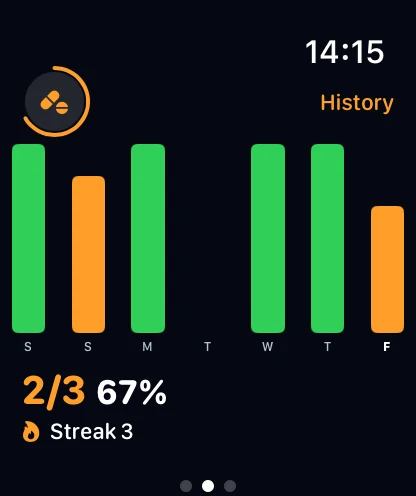
No need to pull out your phone — raise your wrist to see today's medications and doses, then mark them taken or skipped. The Apple Watch app runs independently of iPhone, syncs in real time, and keeps records and achievements perfectly in sync.

Watch Medication Progress Ring
Watch Today's Medications
Watch Weekly Stats

One App, All Apple Devices

PillTick is a universal app that runs perfectly on iPhone, iPad, Mac, and Apple Watch, with data syncing automatically via iCloud

iPhone
iPhone
iPad
iPad
Mac
Mac
Apple Watch
Apple Watch

Download Now

Stop missing doses from today — take control of your health

Rich Features, Thoughtful Experience

PillTick supports you all the way to never missing a dose

Dark / Light Mode

14 carefully designed theme color schemes with dark/light/system-follow modes, giving your app a fresh look every day.

Home Screen Widgets

Multiple home screen and lock screen widgets (small/medium/large sizes) — check your medication progress without opening the app. Place your medication status where it's most convenient to see.

iCloud Sync

Automatically sync data across all your devices via iCloud. Log a dose on your iPhone and instantly see it on your iPad and Mac — no manual action needed.

Log from Notifications

Mark a dose "Taken", "Skipped" or "Snooze" straight from the reminder notification — no need to open the app. Unconfirmed doses keep reminding at your chosen interval.

Live Activity & Dynamic Island

Supports Dynamic Island and lock screen Live Activity — your medication progress displays in real time at the top of the screen. See your current medication status and remaining time without opening the app.

24 Languages

Supports 24 languages — no matter what language you use, PillTick presents the interface in your familiar language. Users worldwide can easily enjoy smart medication tracking.

Apple Watch Standalone App

See every medication and dose for today on your wrist, then mark them taken or skipped. Runs independently without iPhone, with watch face complications showing progress at a glance.

Siri & Shortcuts

Log a dose with a single sentence via Siri. Shortcuts support custom phrases and automations, available in all 24 languages.

Data Export

Export medication records as CSV or JSON, or create a full versioned backup you can restore anytime. Your data stays entirely yours.

Subscription & Pricing

PillTick offers flexible purchase options to unlock all premium features

Annual Membership

¥58

Auto-renewable yearly subscription with full premium features. Includes 3-day free trial. Supports Family Sharing.

Monthly Membership

¥8

Auto-renewable monthly subscription, flexible choice. Includes 3-day free trial. Supports Family Sharing.

The free plan covers 3 medications and 3 family profiles — reminders, Apple Watch, widgets and iCloud sync all stay free, with day and week stats included. Pro unlocks unlimited medications and profiles, month & year stats, data export & backup, all reminder sounds, curated themes and more (see prices in the app). Payment is charged to your Apple ID; subscriptions renew automatically unless cancelled at least 24 hours before the end of the current period. Manage or cancel anytime in Settings > Apple ID > Subscriptions.

Contact Us

Have questions or suggestions? We'd love to hear from you

Email Support

jusuoli2006@163.com

QQ Group

710641131

In-App Feedback

Settings → Help & Feedback → Contact us via email