MarkKit - Timestamp Watermark Camera that turns the scene into one photo

Press the shutter and time, place, weather and coordinates are already in the picture — no retouching, no switching apps, no typing on site. 30 industry watermark templates cover attendance, engineering, field work, inspection and travel; the rest of the fields fill themselves in, and photos stay on your device.

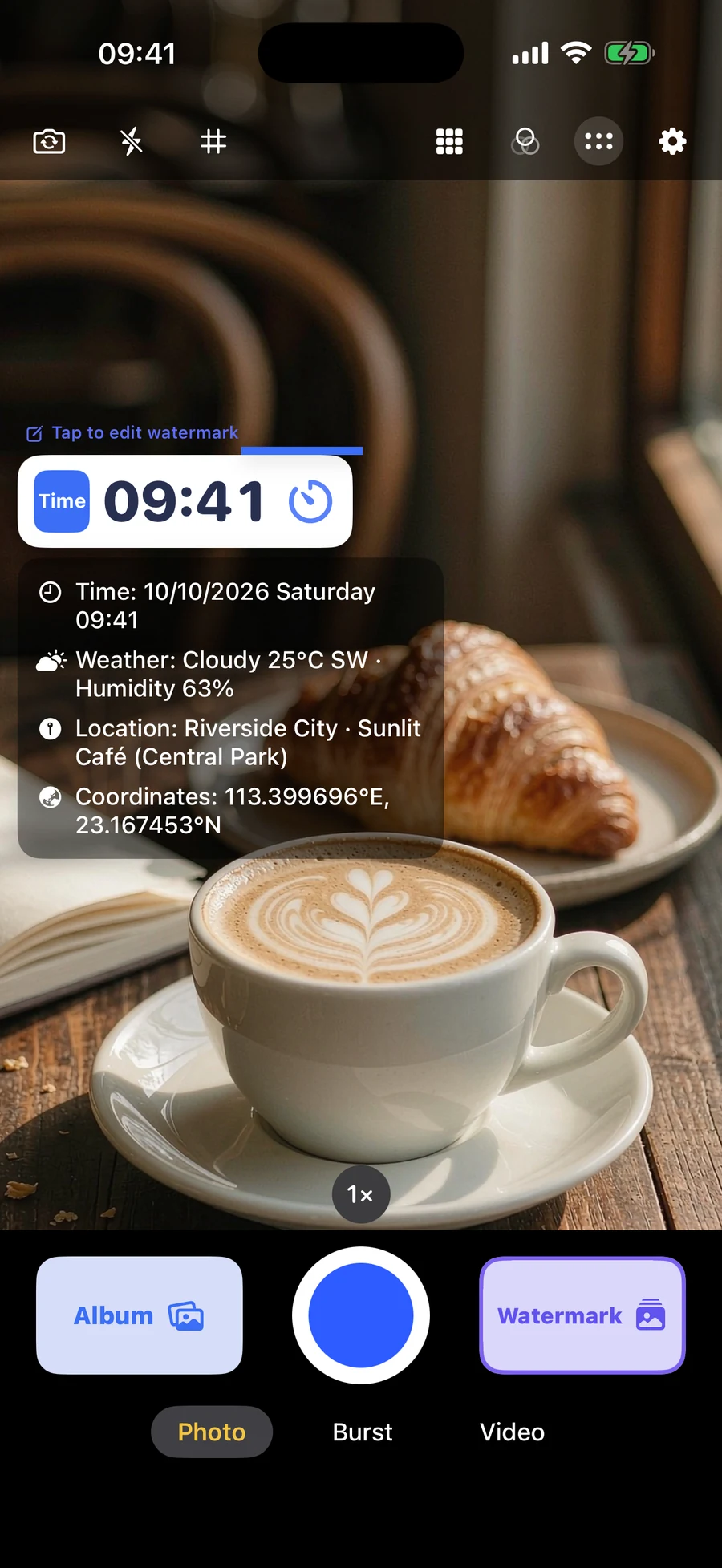
MarkKit camera home
30watermark templates
9photo styles
24languages

Shoot, edit and review — all on one phone

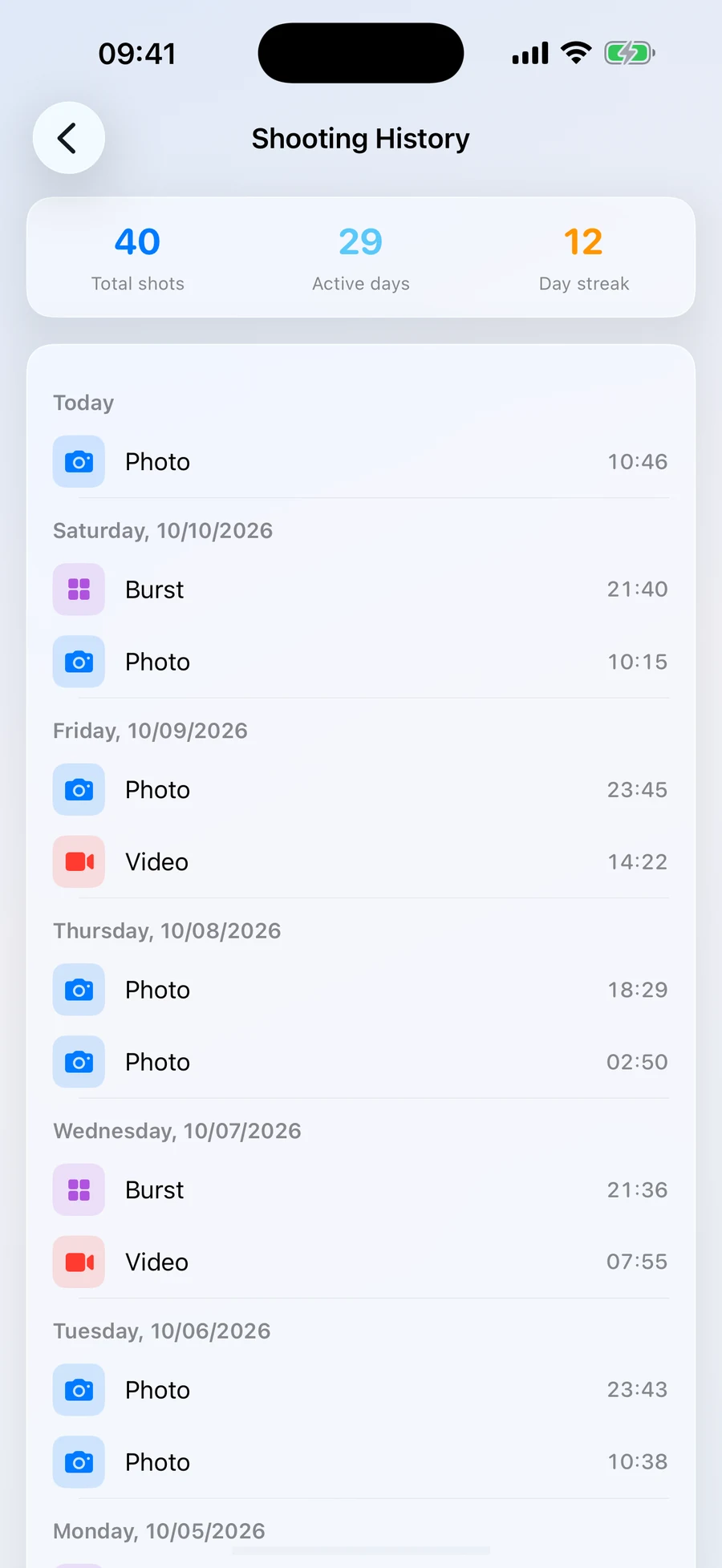
Set the watermark in the viewfinder, shoot and it's saved; history and achievements quietly build your own logbook

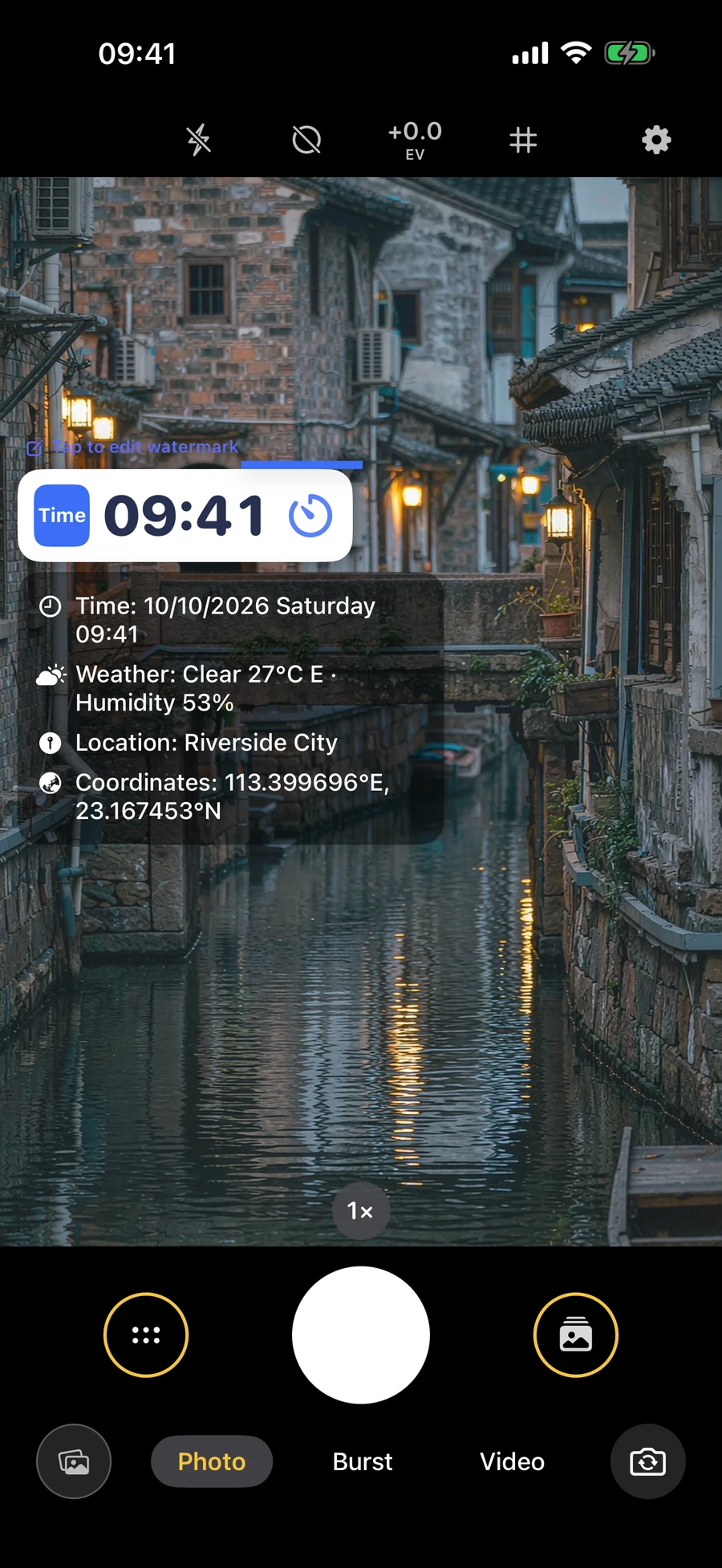
Camera home
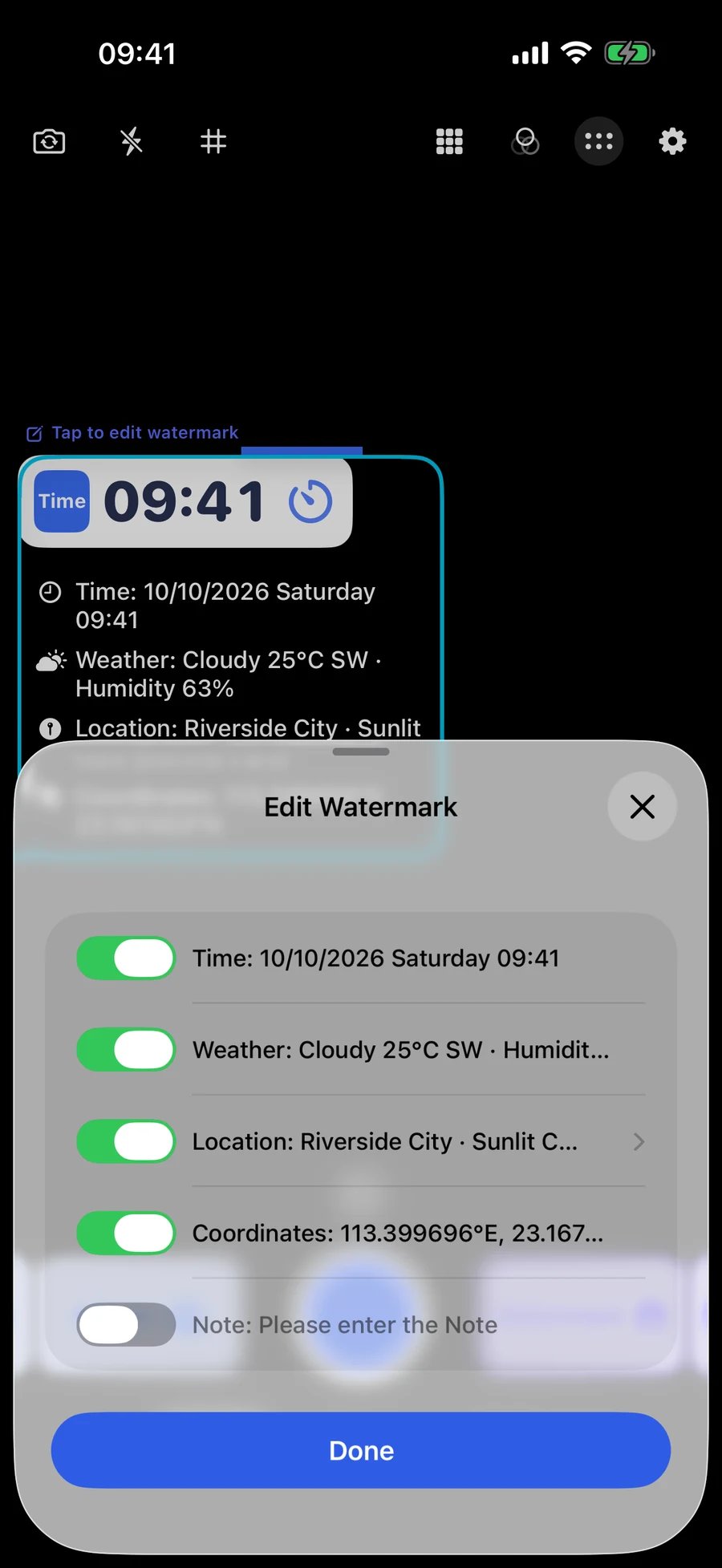
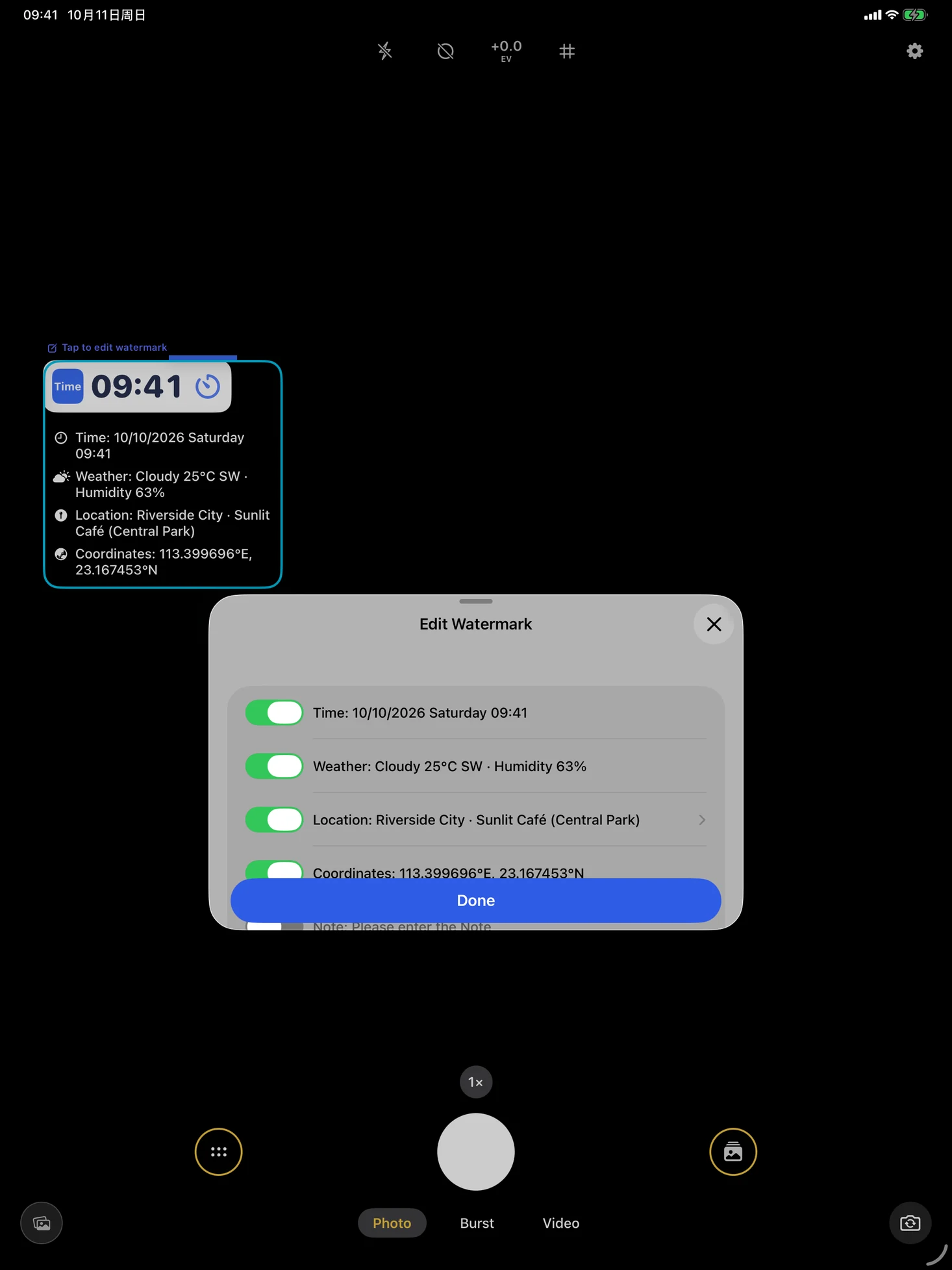
Watermark field editor
Shooting history
Pro layout viewfinder

See the finished shot before you shoot

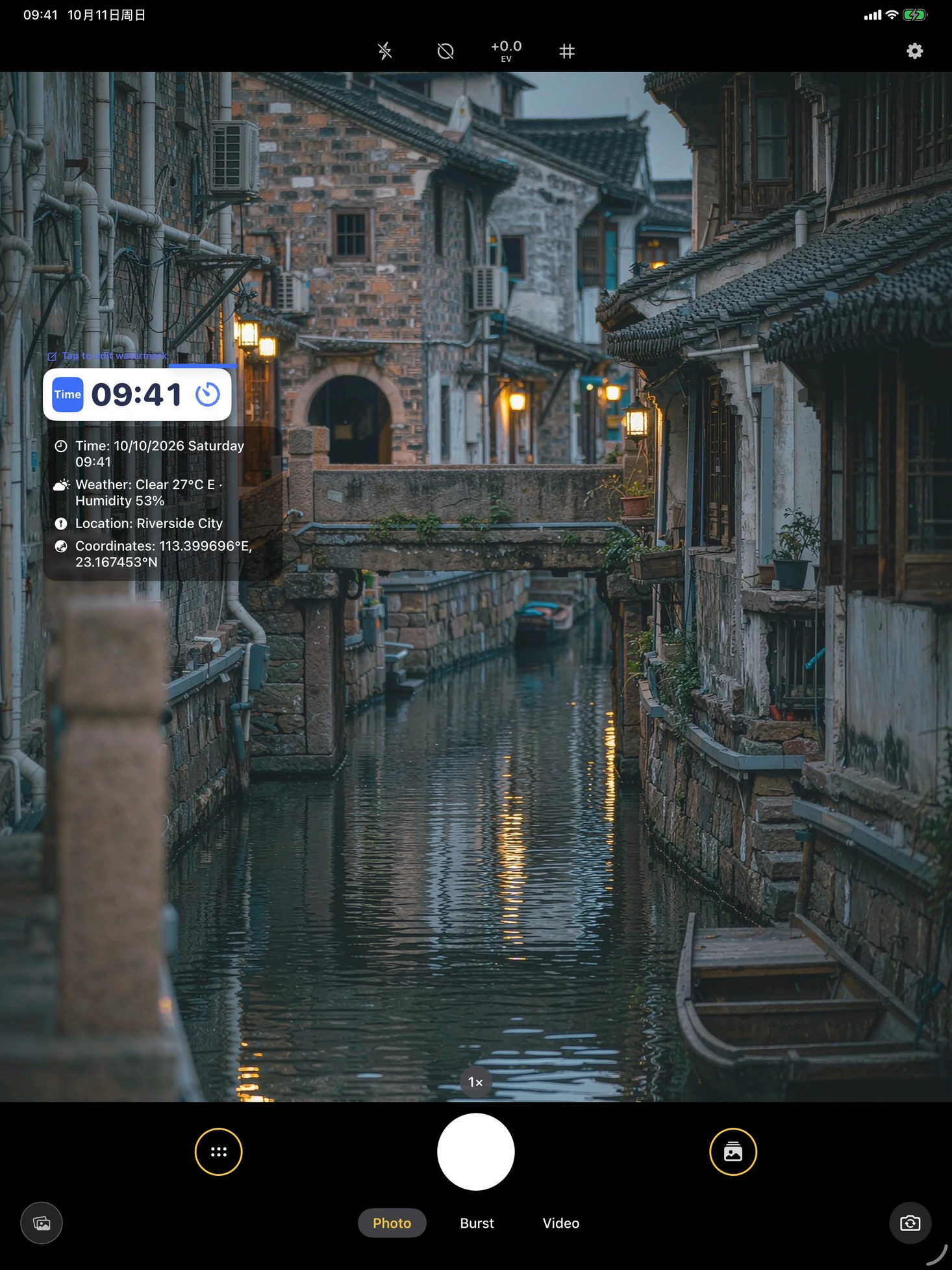
The watermark previews live in the viewfinder: toggle each field on or off, drag to reorder, place the watermark in any of the nine grid slots, and reset to default in one tap. What you see is what you get — no surprise layout after the shutter.

30 templates that bring the right fields with them

Time stamp, attendance and travel — 3 free. Another 27 Pro industry templates cover engineering, transport, maintenance, housekeeping, property, security patrols, delivery, warehouse check-in/out, meeting sign-in, teaching attendance, power line inspection, surveying, renovation and goods acceptance. Each one fills in the fields it should.

Watermark field editing
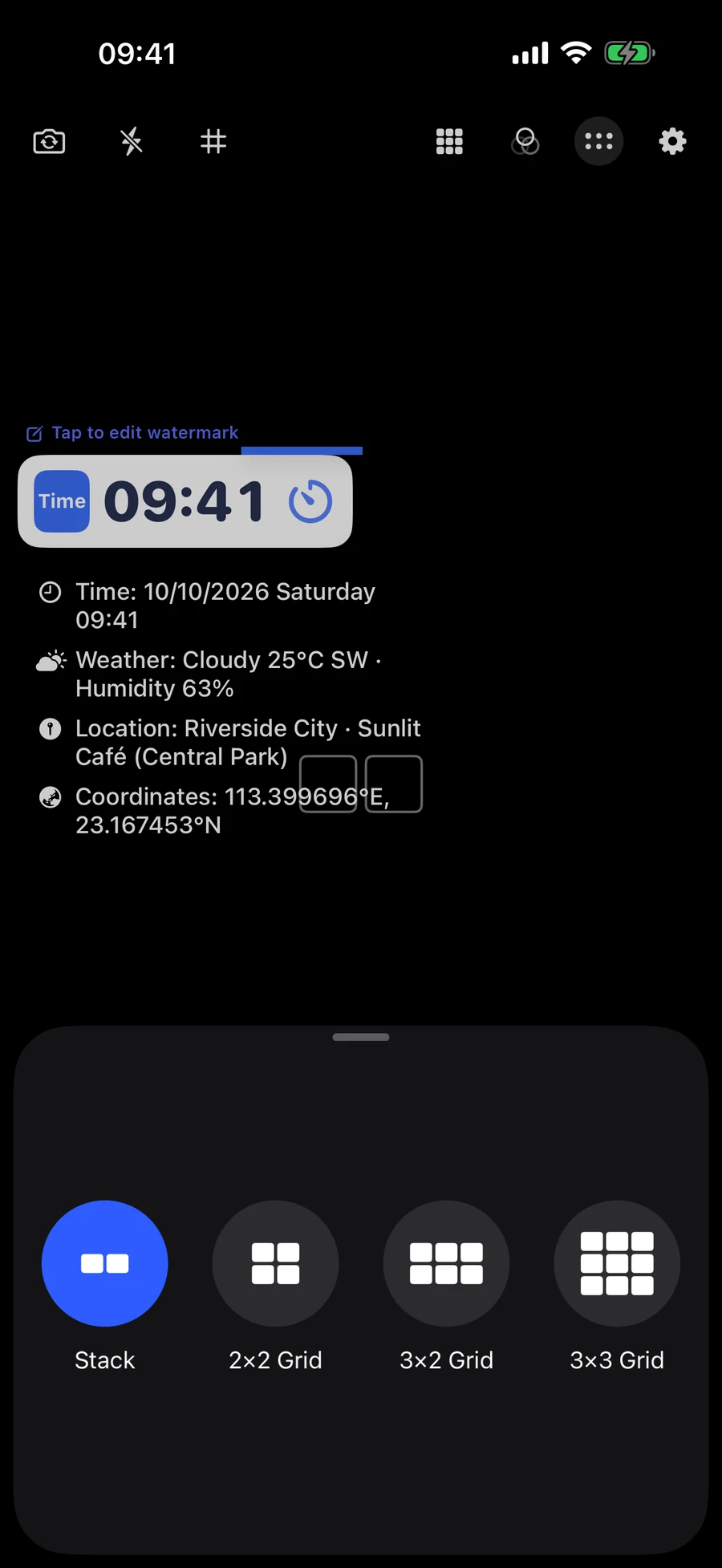
Burst collage layout

Burst collages, the whole scene in one frame

Merge a burst into a 2×2, 3×2 or 3×3 grid, or stack it into a single vertical strip — progress and before/after comparison in one image. Nine photo styles (Standard, Vivid, Warm, Cool, Vintage, Fade, Mono and more) preview live in the viewfinder, while the watermark text stays crisp and never takes the filter.

Auto-filled profile, reminders that never let you miss a shot

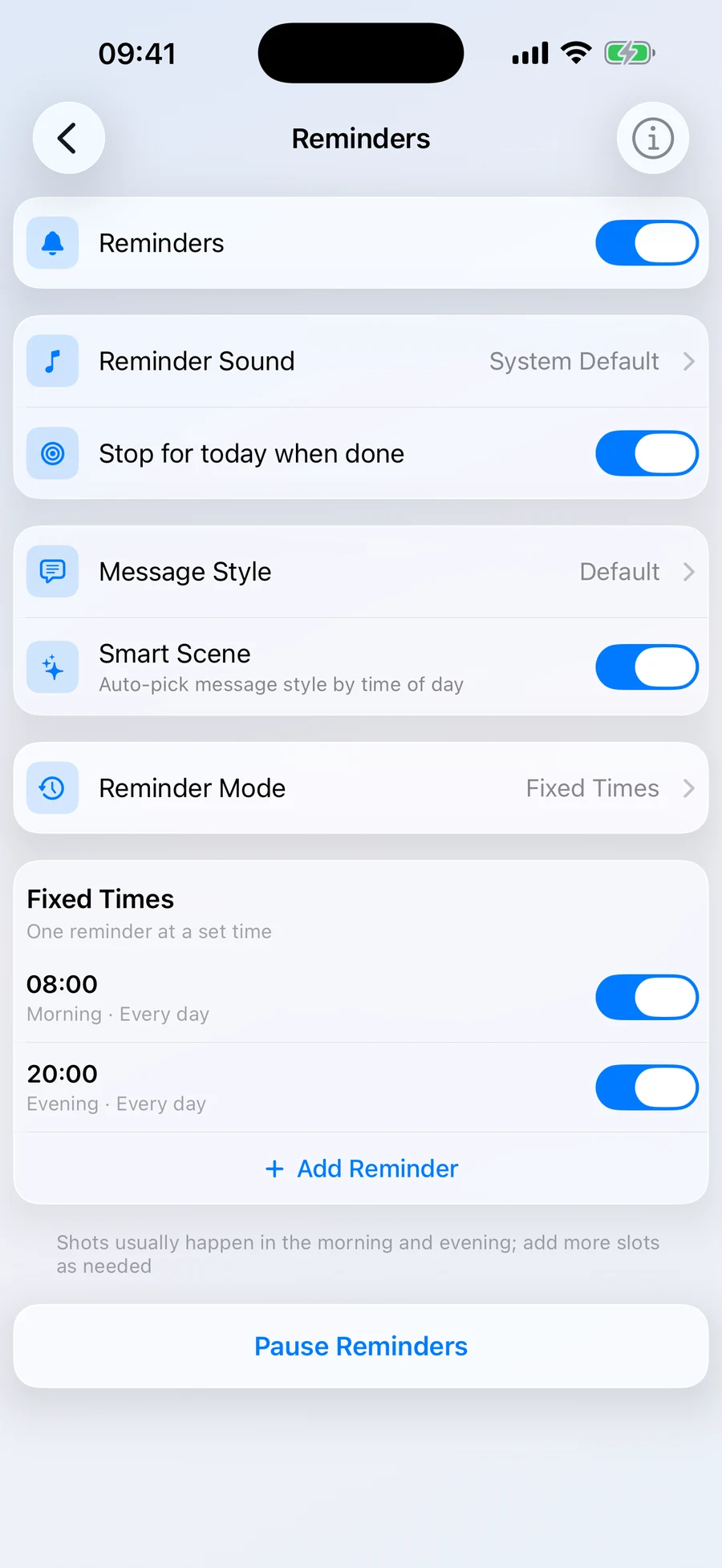
Save your name, company, department and phone once and every watermark picks them up automatically. Get reminded with fixed slots (up to 6, repeatable by weekday) or interval mode; turn on “stop after check-in” and the app goes quiet the moment you take your first photo of the day.

Reminder settings

Big screen for the details — iPad is just as handy

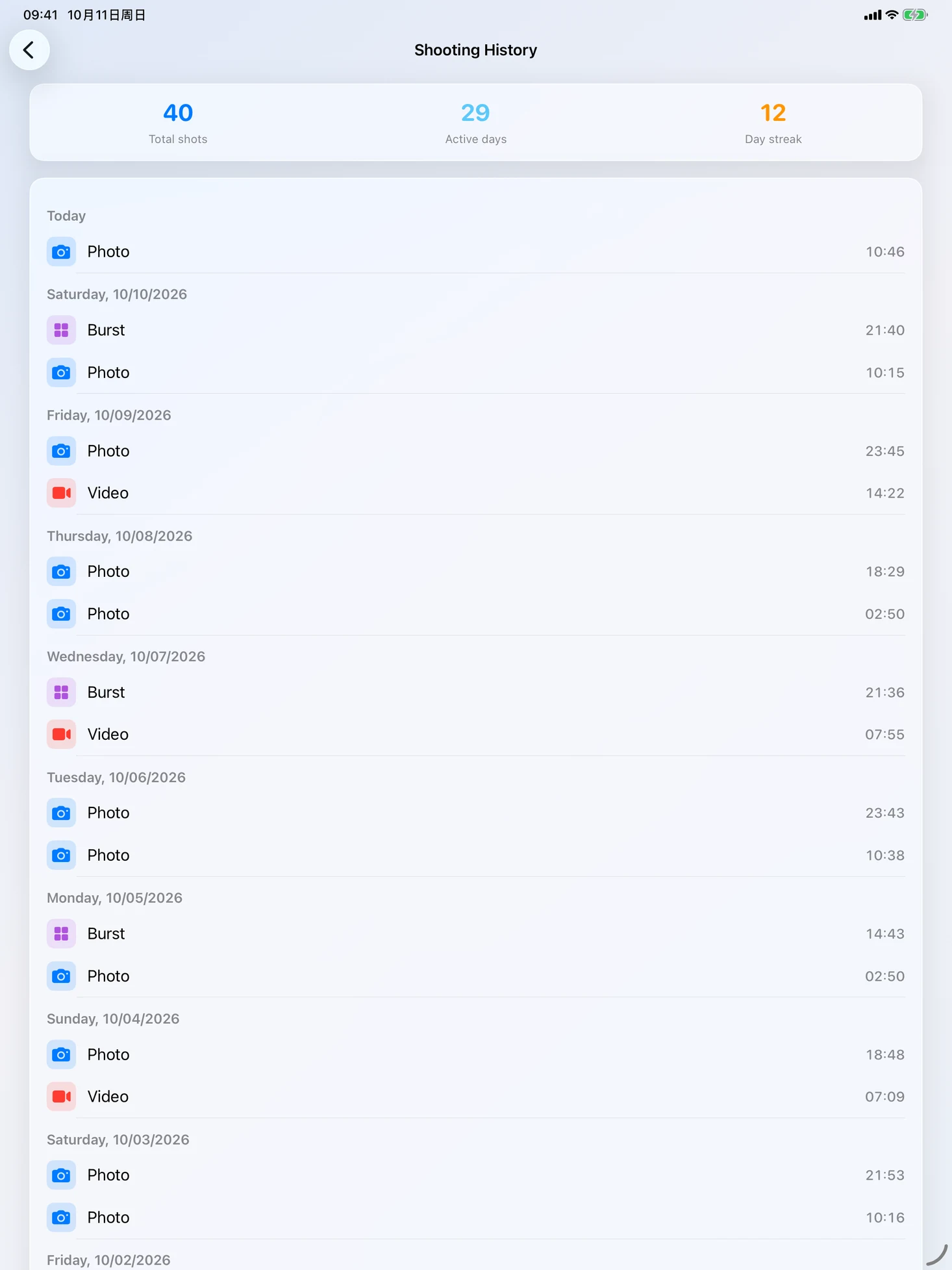
The iPad version makes the most of the space: a roomier viewfinder, more comfortable field editing, and a logbook of history and achievements you can flip through. The same records stay in sync between iPhone and iPad.

iPad camera
iPad field editing
iPad history

One app, at home on both iPhone and iPad

MarkKit is a universal app that runs fully on iPhone and iPad, with an interface that adapts to the screen

iPhone
iPhone
iPad
iPad

Download Now

Press the shutter, and every shot keeps its time, place and weather

Packed with features, thoughtful by design

MarkKit is ready for every moment you need to record

What-you-see-is-what-you-get watermarks

The watermark previews live in the viewfinder; toggle fields, drag to reorder, place it in any of nine grid slots and reset to default in one tap.

30 industry templates

3 free — time stamp, attendance and travel; plus 27 Pro templates such as security, delivery, warehouse, meeting sign-in and power inspection.

Auto-filled profile

Save your name, company, department and phone once; every watermark picks them up from then on, keeping your records complete and consistent.

Burst collage

Merge a burst into a 2×2, 3×2 or 3×3 grid, or stack it into a single column — progress and before/after in one image.

Nine photo styles

Standard, Vivid, Warm, Cool, Vintage, Fade, Mono and more preview live in the viewfinder; the watermark text stays crisp and never takes the filter.

Full-resolution export

Saved to your library at native resolution with the watermark baked in — no drop in quality.

History & achievements

Totals, daily average, streaks, weekly rhythm, favourite hours and template spread — with achievement badges unlocking along the way.

Home screen widgets

Show your latest watermarked photos edge to edge and rotate through them automatically — relive today's scenes without opening the app.

Dual-mode reminders

Switch freely between fixed slots and interval reminders; “stop after check-in” goes quiet once you've shot, with selectable sounds and notification styles.

24 languages

Supports 24 languages and follows the system, so the interface speaks your language wherever you are.

Dark / light themes

Several carefully designed colour themes with dark, light and system modes.

Privacy first

No account, no ads, no photo uploads — your photos and watermark data stay on your device.

Free and MarkKit Pro

The free tier includes 3 templates, 4 styles, 3 shots a day and 2 album watermarks a day; everything beyond it never stops you from getting the photo right first

Lifetime

¥168

One-time purchase, unlock every Pro feature forever, no renewal required. Supports Family Sharing.

Monthly

¥12

Auto-renewable monthly subscription with a 3-day free trial — flexible, cancel anytime. Supports Family Sharing.

Pro unlocks: all 30 templates, unlimited shots and album watermarks, burst collages, all 9 photo styles, reminder sounds and notification styles, interval reminders; the 14 themes and all 50 achievement badges are open to everyone. Yearly and monthly subscriptions include a 3-day free trial and can be cancelled anytime in your Apple ID settings.

Contact us

Questions or feedback — we'd love to hear from you

Email support

jusuoli2006@163.com

QQ group

710641131

In-app feedback

Settings → Help & Feedback → email us